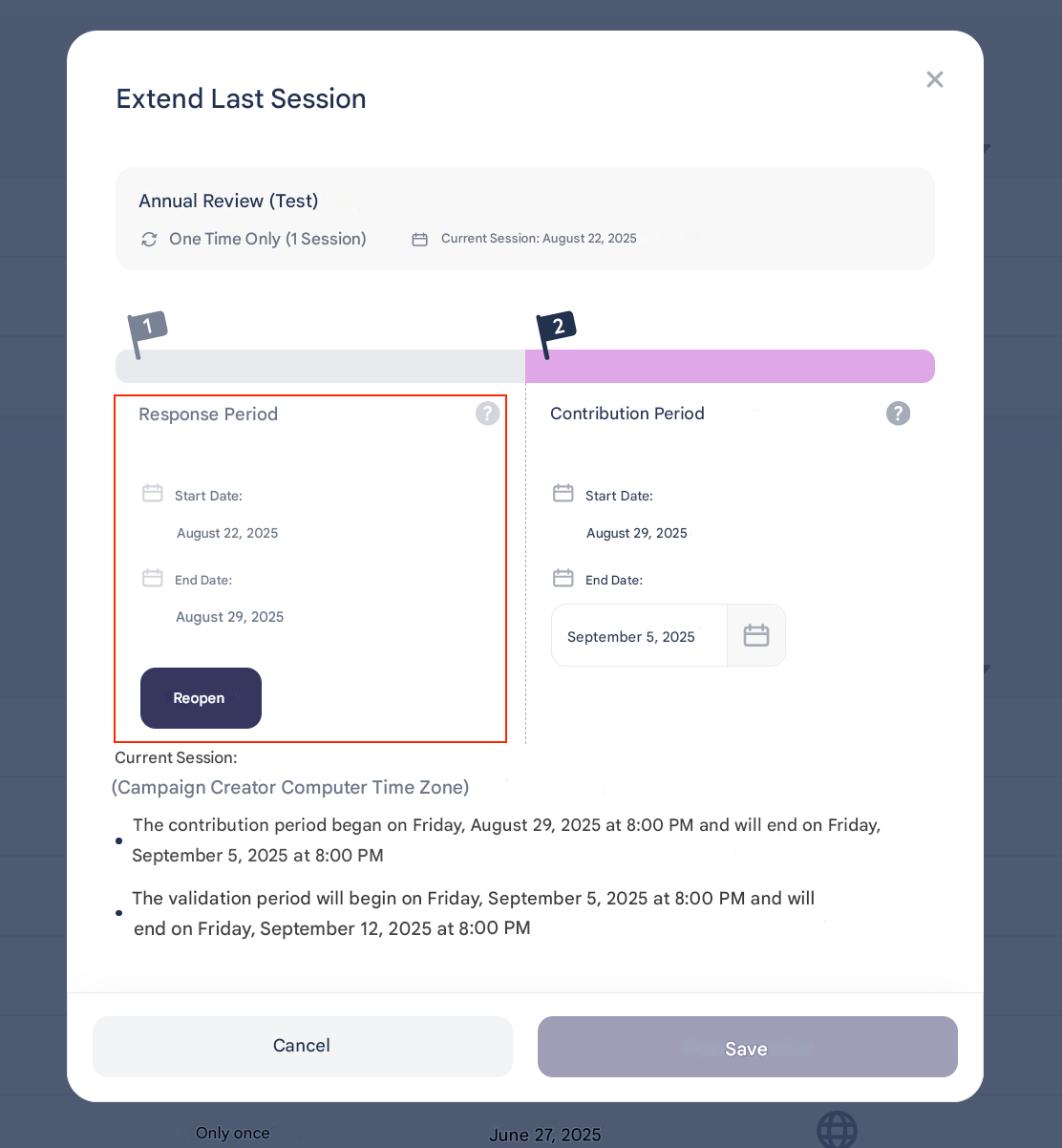
❓ How to Reopen a Review or Extend Open Periods?
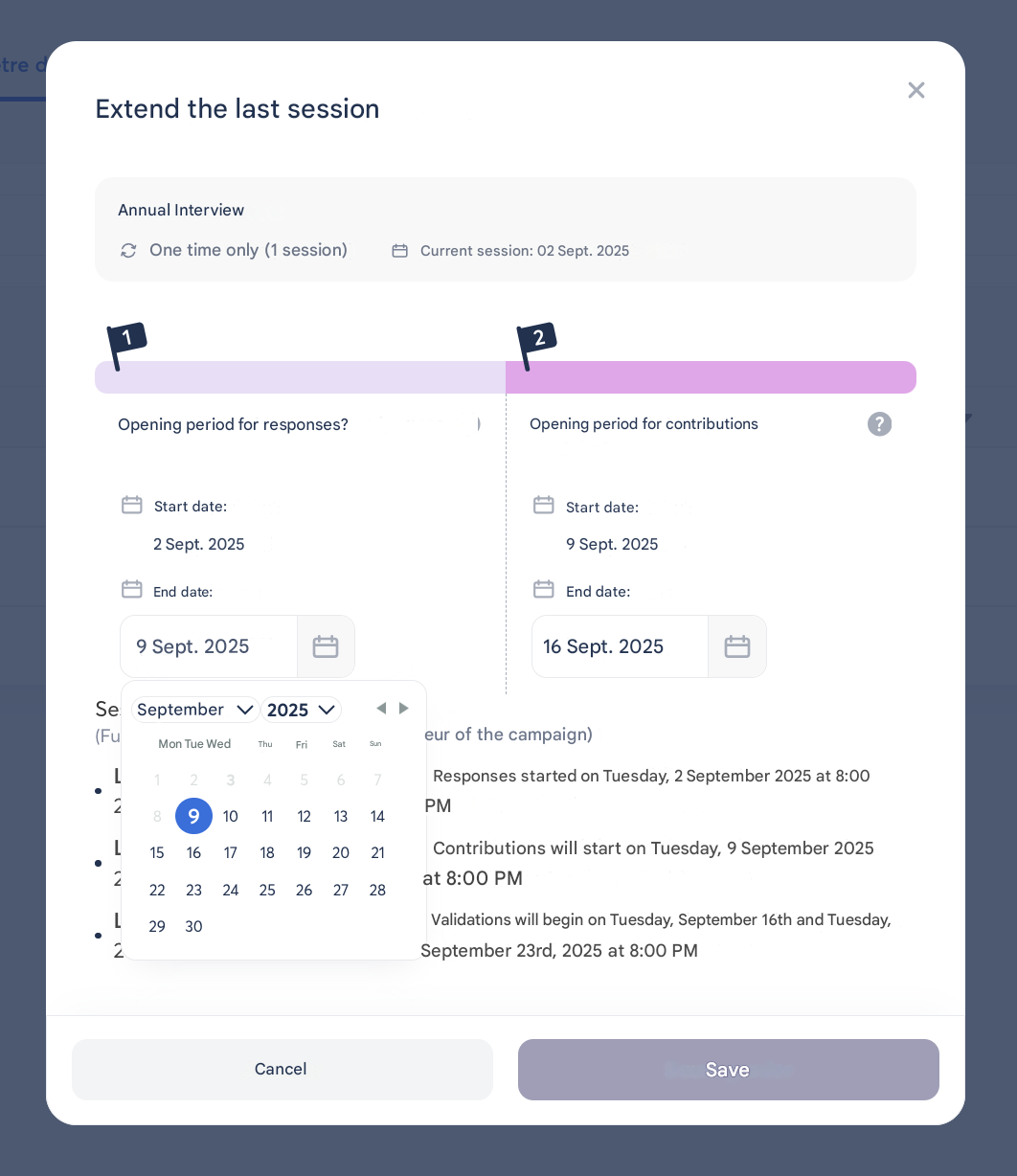
In Zest, it is possible to adjust the periods of an ongoing review to give employees or managers more time to respond.
✅ Extend an Open Period
- Condition: the period must still be in progress.
- Action: the review owner can simply extend its duration.
🔄 Reopen an Open Period
- Condition: the period must be finished, and the next iteration must not have started.
- Deadline: reopening is possible up to D-1 before the next session (D-2 if reopening multiple stages such as contribution + validation).
- ⚠️ Warning:
- All affected employees are notified of the reopening.
- Those who have already responded/contributed cannot modify their responses and are not notified.
- Special cases:
- Employee response period: if the manager has already contributed, the employee can no longer modify their responses.
- Manager contribution period:
- If the manager has already contributed → data is kept but not editable.
- If responses are in draft → data is kept and editable.
- If no contribution has been made → the manager must still contribute.
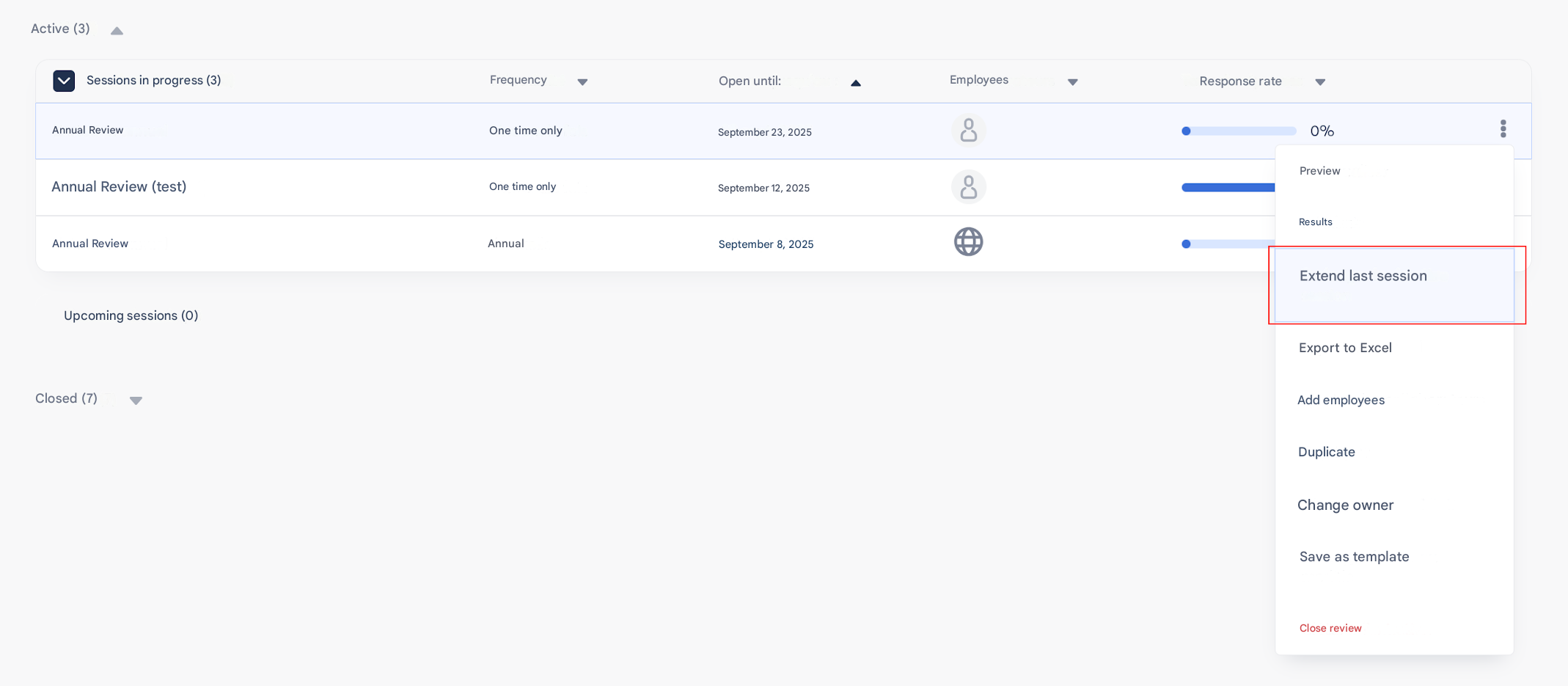
📍 Where to Perform This Action?
- From the “My visibility scope” tab (3-dot menu).
- Or directly from the review campaign, in the open periods section.