❓ How to Finalize, Duplicate, or Republish a Review?
Depending on your needs, several actions are available for your reviews in Zest.
✅ Finalize a Review
- A review in draft can be finalized so it is ready to be launched.
- This action is available only from the Web.
- It allows you to lock the setup and make it available according to the planned schedule.
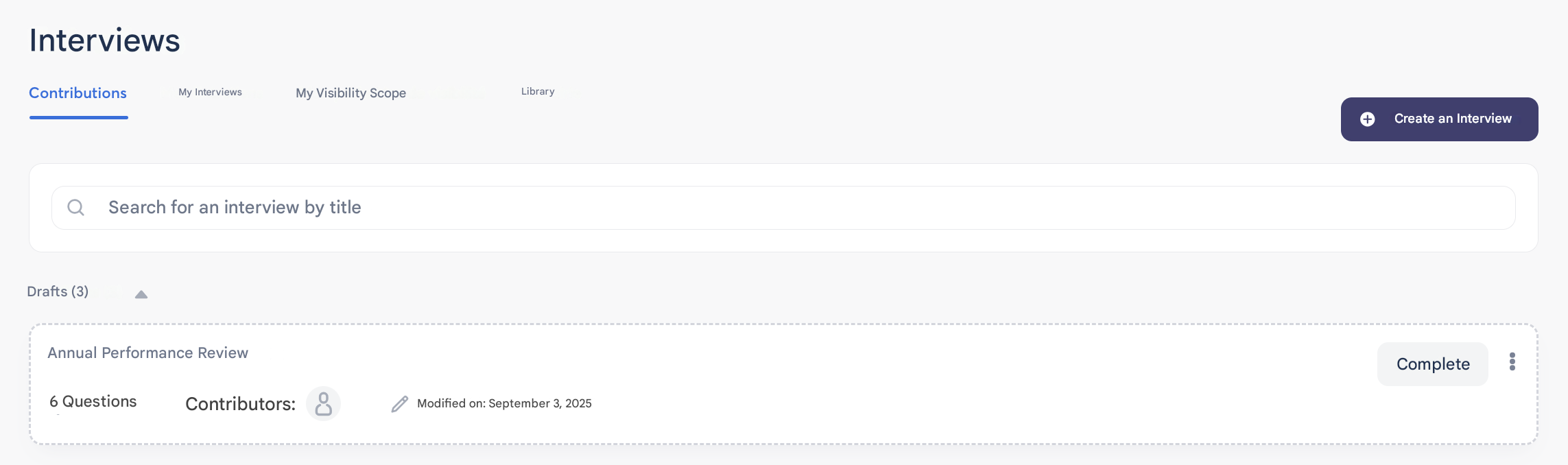
- From the “Review” page, in the Contributions tab, access the drafts and click the Complete button.
🔁 Duplicate a Review
- From the “Review” page, go to the Contributions tab.
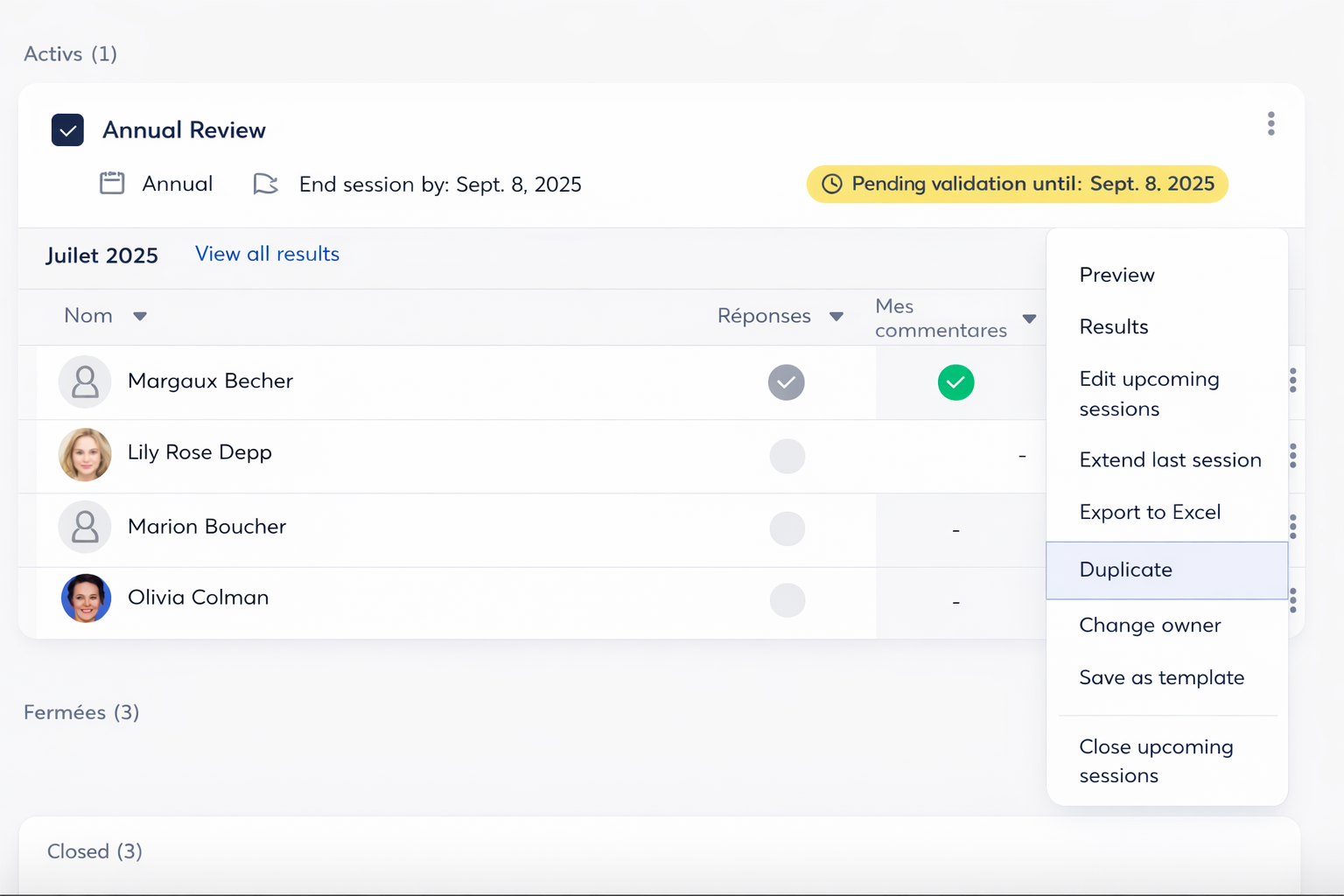
- Click on the 3 dots and select “Duplicate.”
- You can reuse the review exactly as it is or modify it (questions, contributors, etc.).
- Ideal for quickly creating a new campaign based on an existing one.
⚠️ Important: duplicating only allows you to copy/paste an existing campaign. It does not provide the benefits of a recurring campaign, and therefore no comparison will be available between two separate campaigns.
📢 Republish a Review
- After saving or making changes, you can relaunch the review according to its schedule.
- Please note: only future sessions will be impacted by the modifications.
- Sessions already in progress remain unchanged.
⚠️ Key points to remember
- Only the creator of the review can perform these actions.
- Duplication and republishing help you save time while adapting your campaigns to your needs.