🌍 Translating a survey into multiple languages
Do you have employees based internationally? Zest lets you offer a survey in multiple languages, with automatic translation that you can then review, correct, and have proofread by dedicated translators.
🛠️ Enabling translation for a survey
When creating your survey:
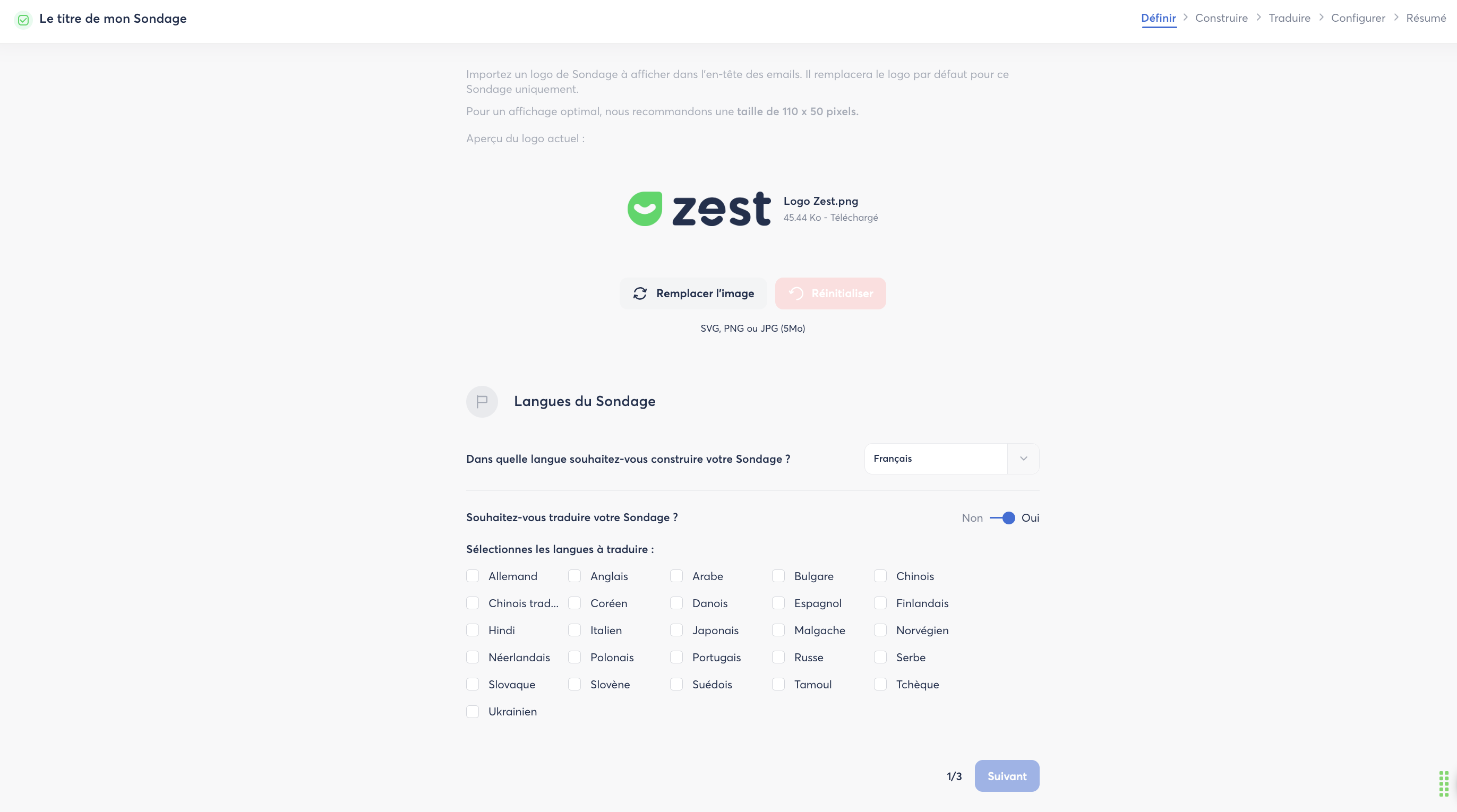
- Go to the "Define" step.
- Turn on the "Survey language" option by selecting "Yes".
- Select the language you are currently building your survey in.
- Then check all the additional languages you want to get an automatic translation into.
✍️ Build, then translate your survey
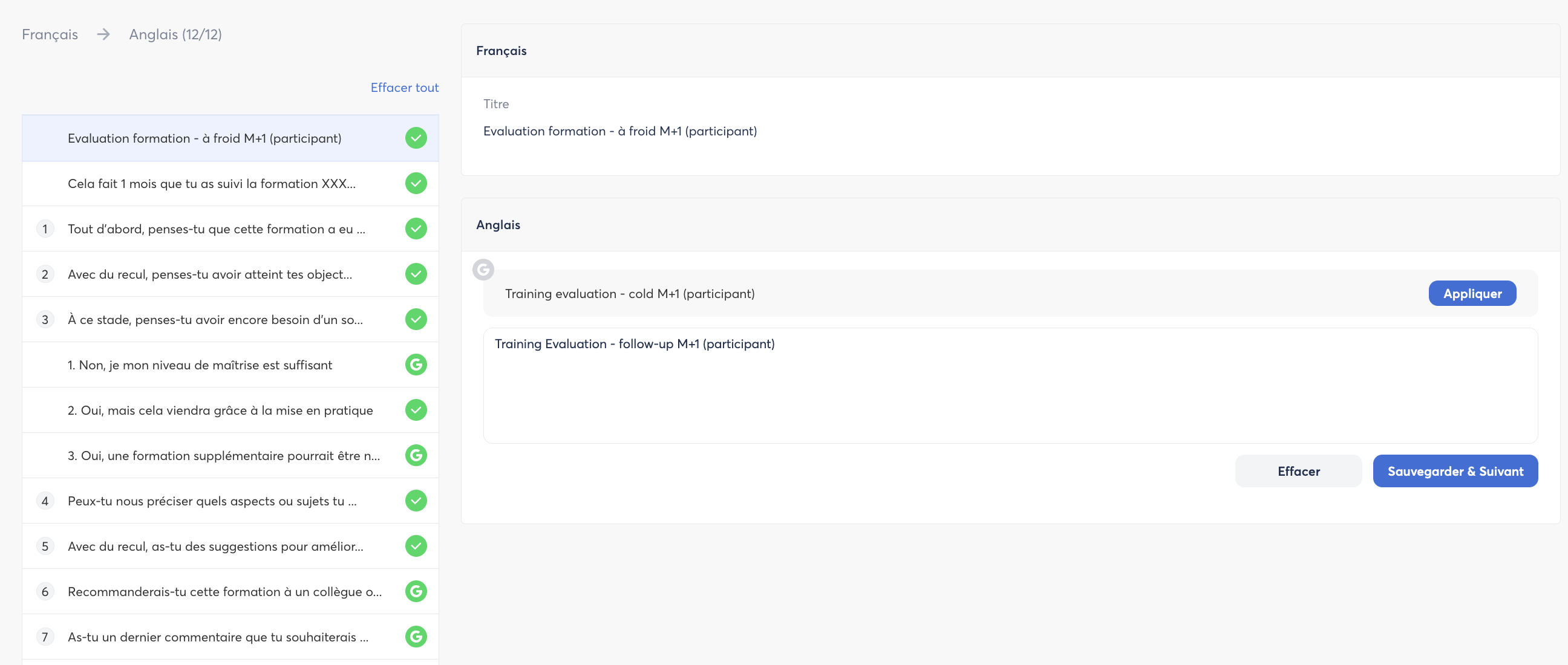
Once your survey is built, a new "Translate" tab will appear in the menu (top left of the screen).

In this space, you can:
- View all your questions
- See the automatic translations
- Edit and validate the translations
- Save your changes
Understanding translation statuses
Each translated question displays a status indicator:
- 🤖 Robot icon: the translation was generated automatically and has not yet been manually reviewed.
- ✅ Green check: the translation has been reviewed and manually validated. This status appears automatically as soon as you edit a translation and click Save and next.
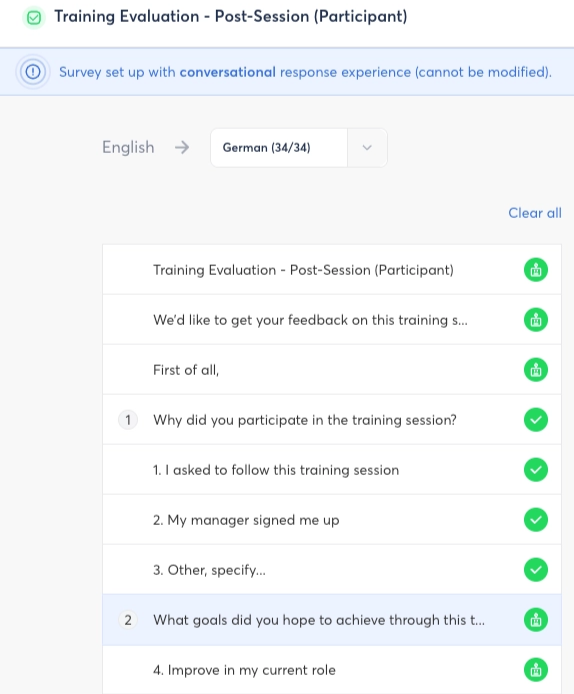
💡 Tip: this system lets you spot at a glance which translations still need checking (robot icon) and which have already been validated by a human (green check).
🌐 Switching translation language
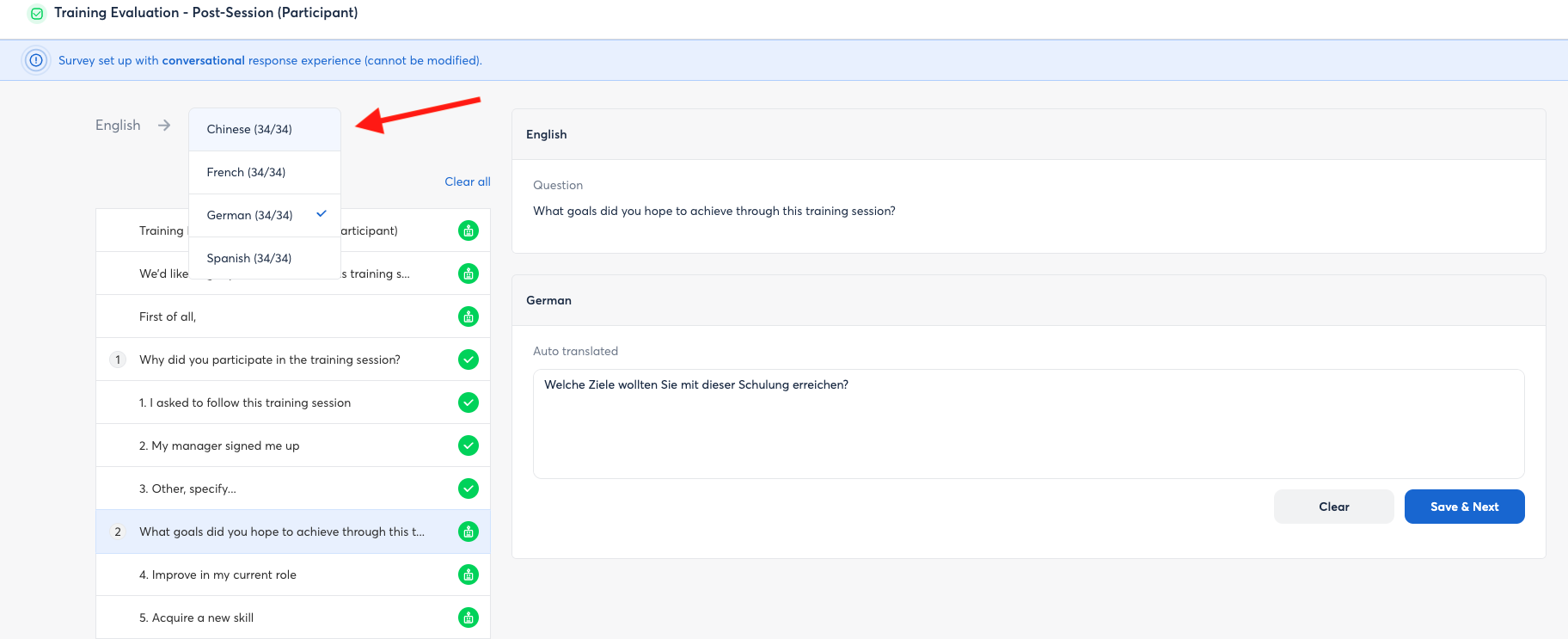
If your survey includes several additional languages, a language selector is available at the top of the screen, in the Translate tab. It lets you switch from one language to another to check each translation.
👥 Adding translators to the survey
You can invite an employee as a Translator contributor on your survey.
➡️ Their role is limited to access to the Translate tab: they have no visibility on the rest of the survey (questions in the main language, settings, results…).
💡 Tip: assign one translator per location or per language, who can check or correct the translation in their native language.
A translator can be added at three different points in the survey's editing process: when creating from a template, when creating from scratch, or from a survey already saved as a draft.
From creating a survey based on a template
- Go to Survey > Create a survey.
- Choose to create your survey from a template, then select the template you want.
- Click the pencil icon ✏️ next to Subject, then enter the building language and the translation languages, and click Save.
- Click the pencil icon ✏️ next to Contributors.
- Click Add a contributor.
- Search for the relevant person, then click Add.
- The default role shown is Owner: click on it to switch it to Translator.
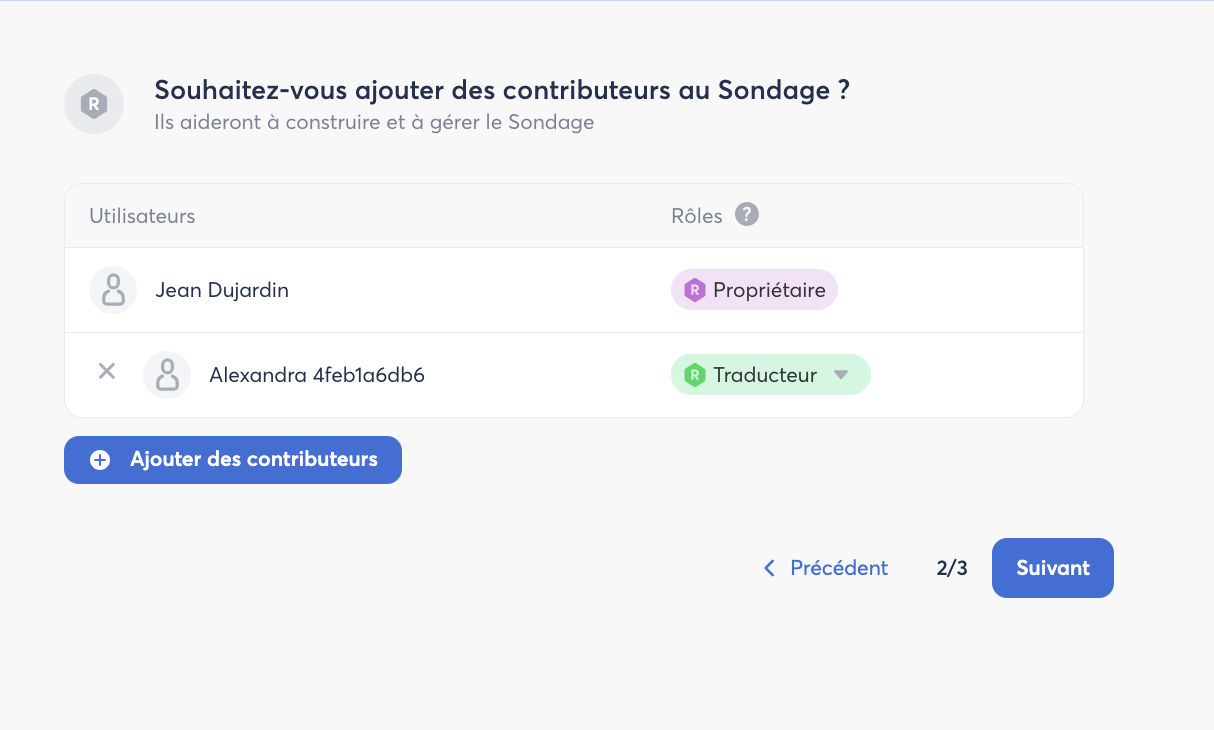
💡 Tip: assign a translator per location, who can check or correct the translation in their native language.
From creating a survey from scratch
- Go to Survey > Create a survey.
- Choose to create your survey from scratch.
- Fill in step 1: Title and description.
- In step 2, Add contributors: search for the relevant person, then click Add.
- The default role shown is Owner: click on it to switch it to Translator
From a survey already saved as a draft
- Go to Survey > Manage > Draft.
- Click Edit on the relevant survey.
- Go to step 2/3 – Add contributors.
- Search for the relevant person, then click Add.
- The default role shown is Owner: click on it to switch it to Translator.
- Finally, click the cross in the top right, then click Save changes.
📧 Translator access to the survey
Once added as a Translator contributor, the employee receives an email.
- If they have never logged in to Zest before, they receive a welcome email and will need to set up their password (unless they log in via SSO).
- To then access the translation, they go to Survey > Manage > Draft > Edit: they land directly on the translation steps, without access to the rest of the survey.
ℹ️ Note: the translator can only edit the Translate tab, in line with their limited contributor scope (see "The translator's role" above).
✅ Good to know
- Automatic translations are generated from the text you enter in the main language.
- You can manually edit the translated versions at any time.
- Participants will automatically see the version of the survey in the language set in their Zest profile (if available).