🤖 Using SmartGroups for dynamic targeting
A SmartGroup is a dynamic group that allows you to automatically manage survey recipients in Zest, based on attributes defined in employee profiles.
🛠️ Steps to use a SmartGroup
1️⃣ Create a SmartGroup
Create a SmartGroup based on one or more employee attributes.
Example: a “New hires” group defined by tenure between 0 and 1 month.
✅ This group updates automatically: every new employee matching the criteria is added without manual action.
2️⃣ Select the SmartGroup as recipients
When creating your survey:
- Go to the “Define recipients” step
- Select your SmartGroup from the available list
🧠 Zest will automatically send the survey to all employees who enter this group during the survey period.
3️⃣ Configure survey frequency
🗓️ Option A: One-time survey
- Recommended long opening period: 6 months to 1 year
- The survey remains active, allowing new employees joining the SmartGroup to respond during that time
⚠️ Important: once launched, questions cannot be modified. Any changes will only apply to the next iteration.
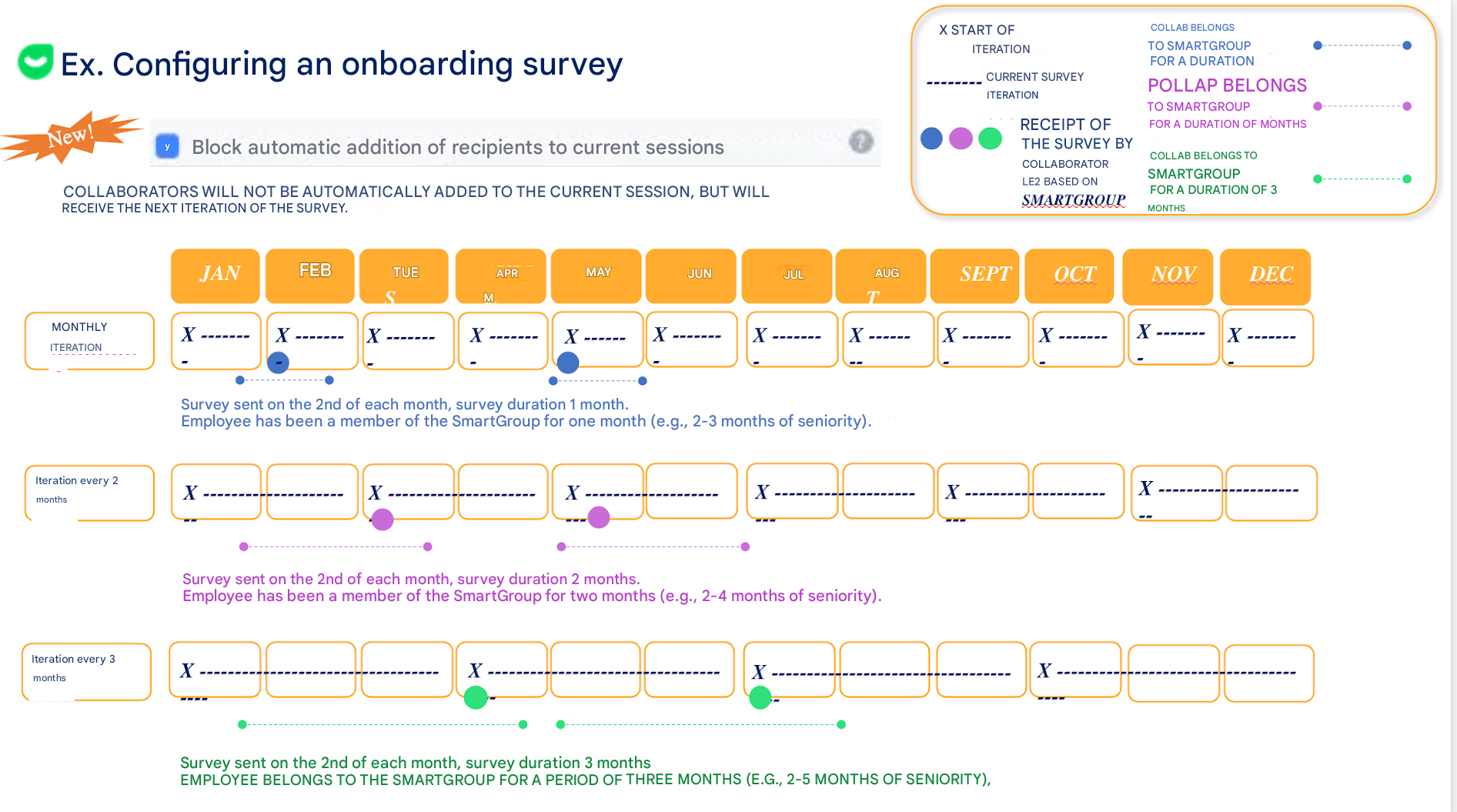
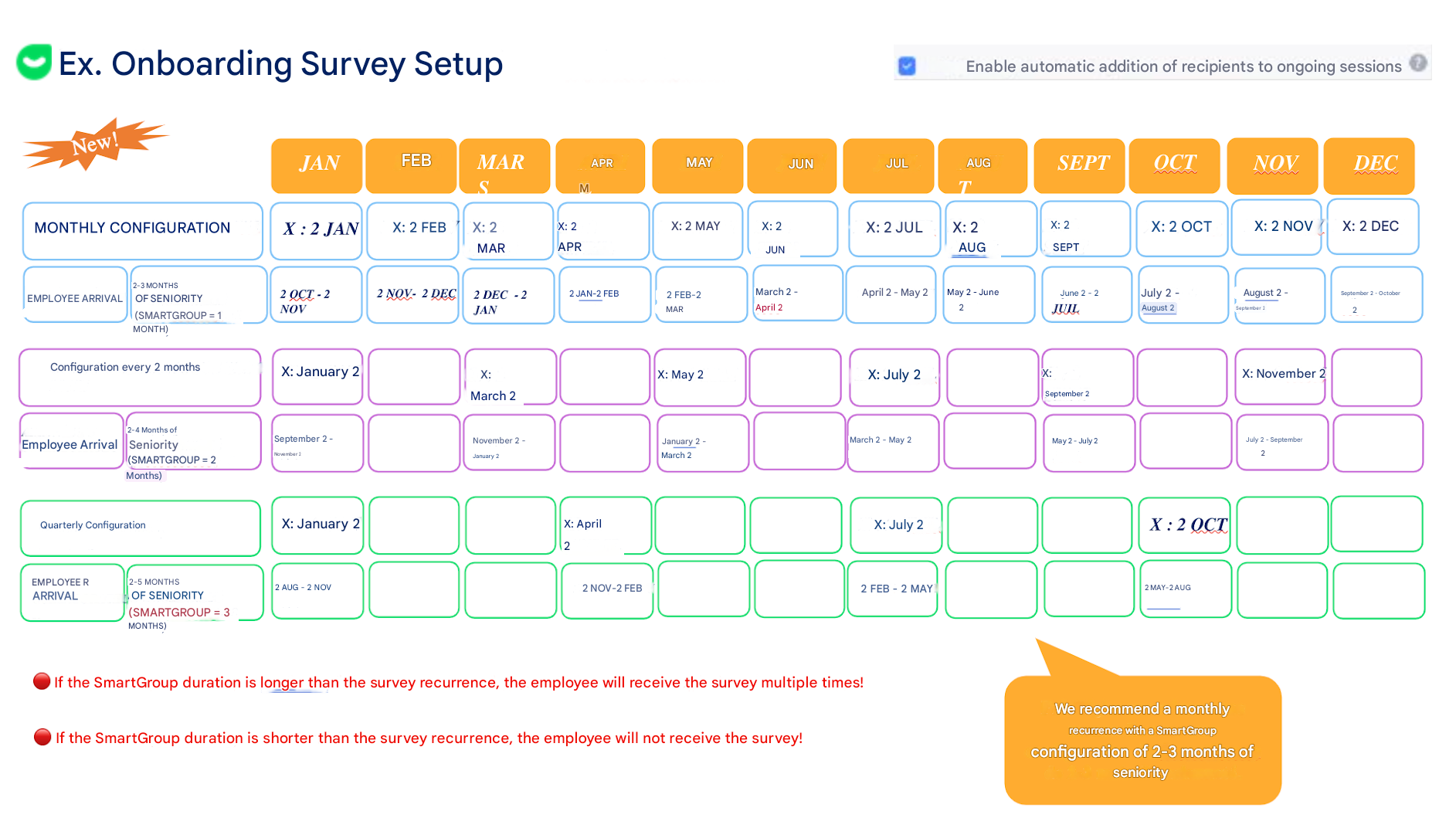
🔁 Option B: Recurring survey (e.g., monthly)
- Define a frequency (e.g., every month)
- Choose an opening duration aligned with how long employees stay in the SmartGroup
🧩 Ideal for tracking the evolution of a target population over time!
📸 Visual examples