❓ How to Save a Review as a Template?
The “Save as template” feature allows you to easily reuse the structure of a review (questions, options, configuration) to create new ones.
▶️ Steps to follow:
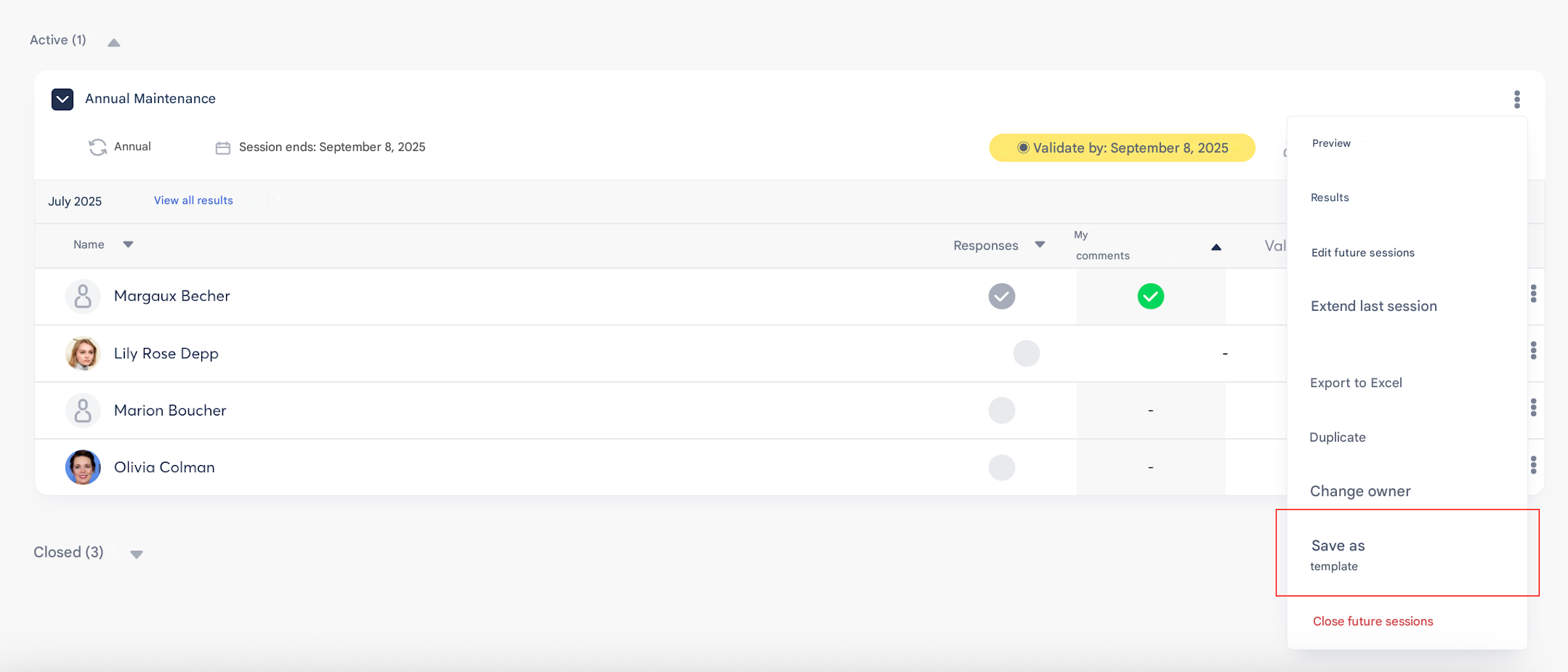
- Go to the “Contribution” menu or “My visibility scope.”
- Click on the 3 dots to the right of the relevant review.
- Select “Save as template.”
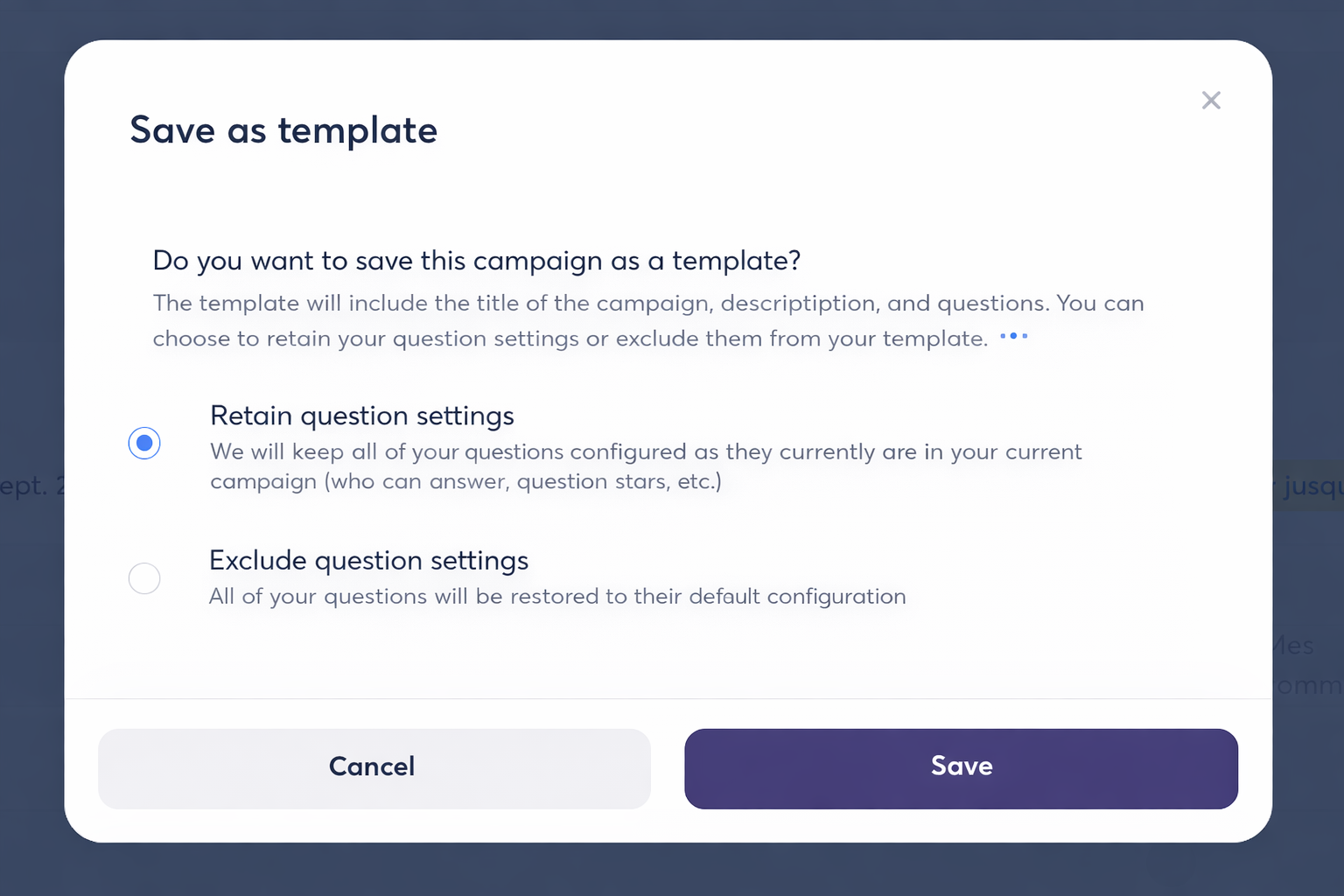
- A pop-up opens and allows you to configure the save options:
- Choose whether or not to keep the question configuration (multiple choice, options, Star Questions, etc.).
- Confirm to save
⚠️ Important points to know:
- Only the review creator can perform this action.
- The saved template is automatically available in your library for future reuse.