⚠️ Important:
- This action only modifies the reminder email body.
- It does not change the survey structure, its questions, or its settings.
- The instructions below apply to both non-recurring surveys and recurring surveys.
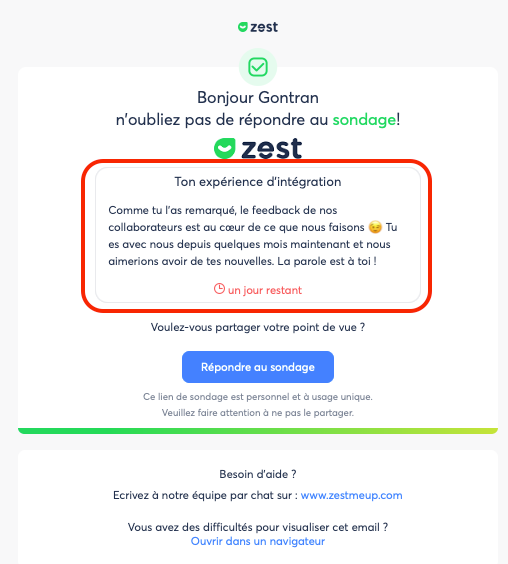
Modify the Title and Description of a Non-Recurring Survey
For surveys that have only one scheduled period, you can adjust the description and title used in reminders by adding a new session.
✏️ Steps to Follow
- Go to Analyze > Ongoing.
- Click the three dots next to the relevant survey.
- Select Add a session.
- A window opens: click Add a session again.
- Click the pencil icon to modify the title or description.
- Click Save to confirm the changes.
- Close the window using the X in the top right, then click “Cancel changes.”
→ This action keeps the modified description.
✔️ Verify the Changes Were Applied
Go to Analyze > [Your survey] > Show more to confirm that the updated description appears correctly.
🎥 Explanatory Video
The video shows the description before and after modification to help you visualize the result.
🔁 Relaunch the Survey
You can relaunch from the Manage tab.
Click the Relaunch button next to the survey you want to relaunch.
⚠️ You can perform this action only once per day; it will resend the survey to all people who have not yet submitted their response.
Modify the Title and Description of a Recurring Survey
For recurring surveys (weekly, monthly, quarterly, etc.), editing is possible directly.
✏️ Steps to Follow
- Go to Surveys > Manage.
- Click the three dots next to the survey to modify.
- Select Edit.
- Modify the title and/or description as needed.
- Close the window using the X in the top right, then confirm by clicking Save changes.
Good to Know
- Users will therefore see only the updated text in emails sent after your modification.
- Modifying the title and description only changes the content used for reminders.