As a user, you can update your mood at any time from your Zest space.
🧭 Access the Mood module
- Log in to Zest.
- Click on the Mood tab in the blue sidebar on the left of the screen
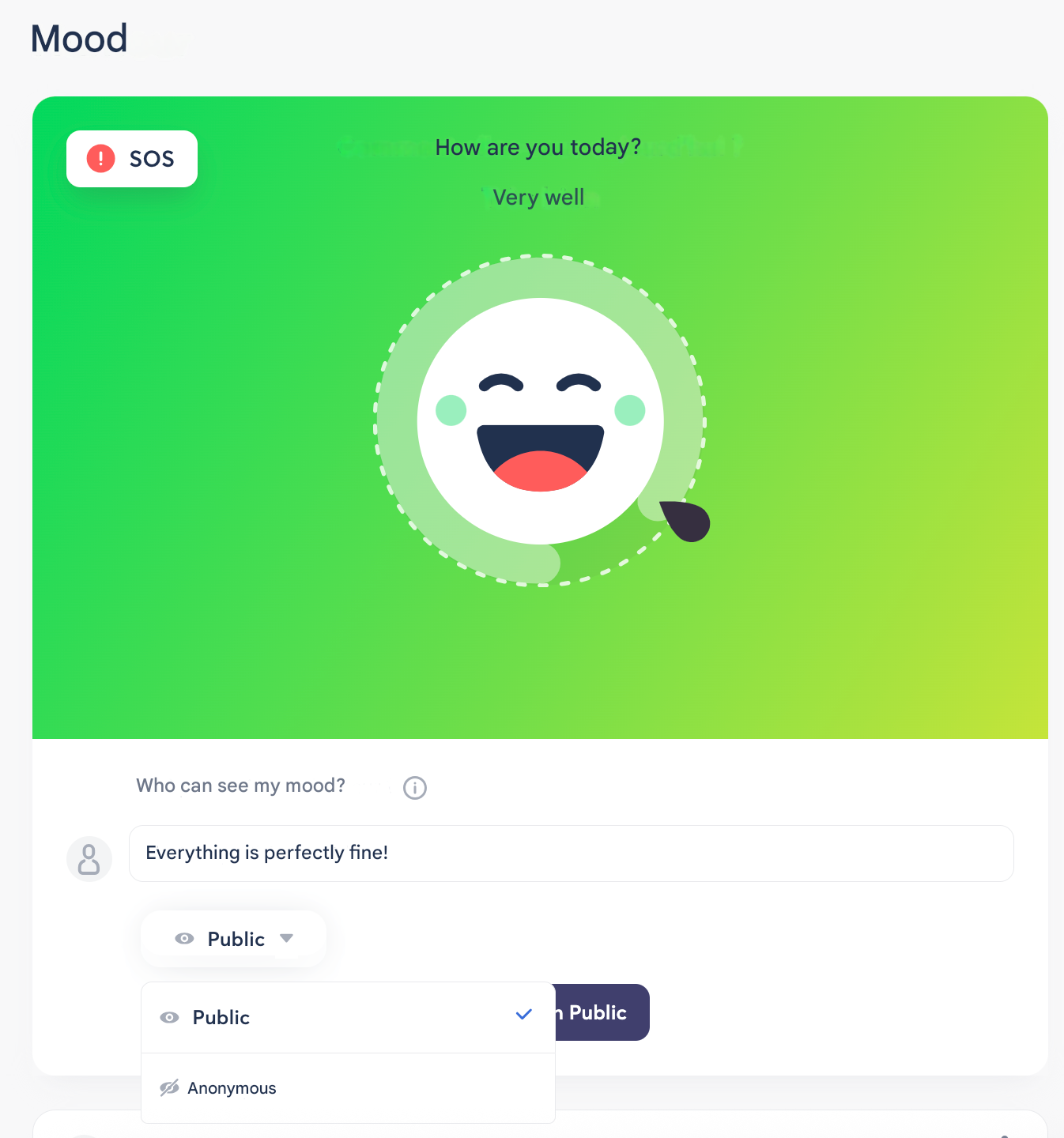
Set your mood
- Drag the cursor from “Very good” to “Very bad” to reflect how you feel.
- You can then add a comment to explain or provide context (if this option is enabled).
🔐 Choose the sharing mode
Before publishing your mood, select the visibility mode:
- Public (non-anonymous): your name, surname, and photo will be visible to authorized people.
- Anonymous: your identity will not be displayed.
👉 You can check who can see your mood via the information icon, according to your organization’s settings.
ℹ️ Good to know
⚠️ You can share your mood multiple times in the same day.
In that case, Zest automatically calculates the average of the moods shared during the day.