💬 Engageometer V2: Theme & sentiment analysis
The Engageometer V2 allows you to go beyond scores by analyzing comments and open-ended questions.
Objective: quickly identify key themes, their sentiment, and action priorities.
🌟 Level 1: Results by question
Applicable to:
- Open text questions
- Comments
👉 What you can do:
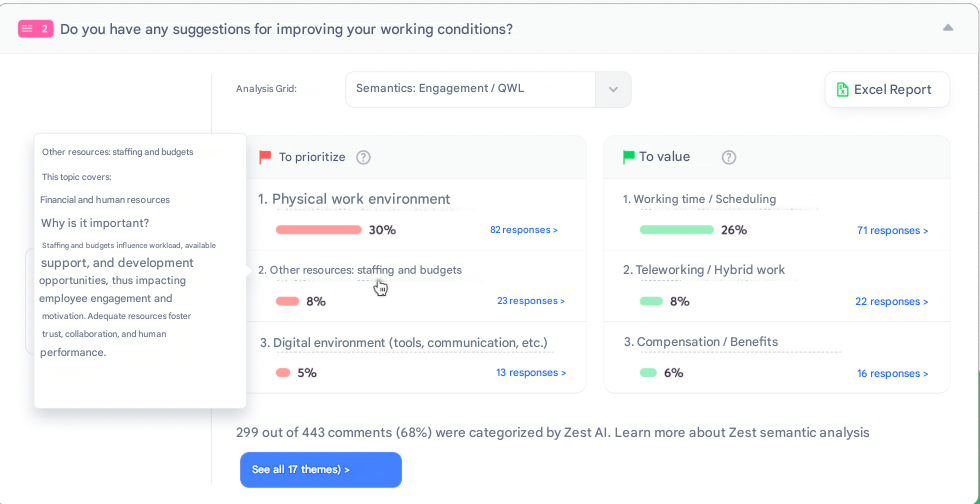
- Identify at a glance the priority themes and those to highlight (top & flop).
- Understand why to act on certain themes thanks to the insights provided.
- Explore in more detail the sentiment associated with each theme and across all responses.
- Switch to a word cloud (useful if the question is not directly related to Engagement or QWL).
Focused reading
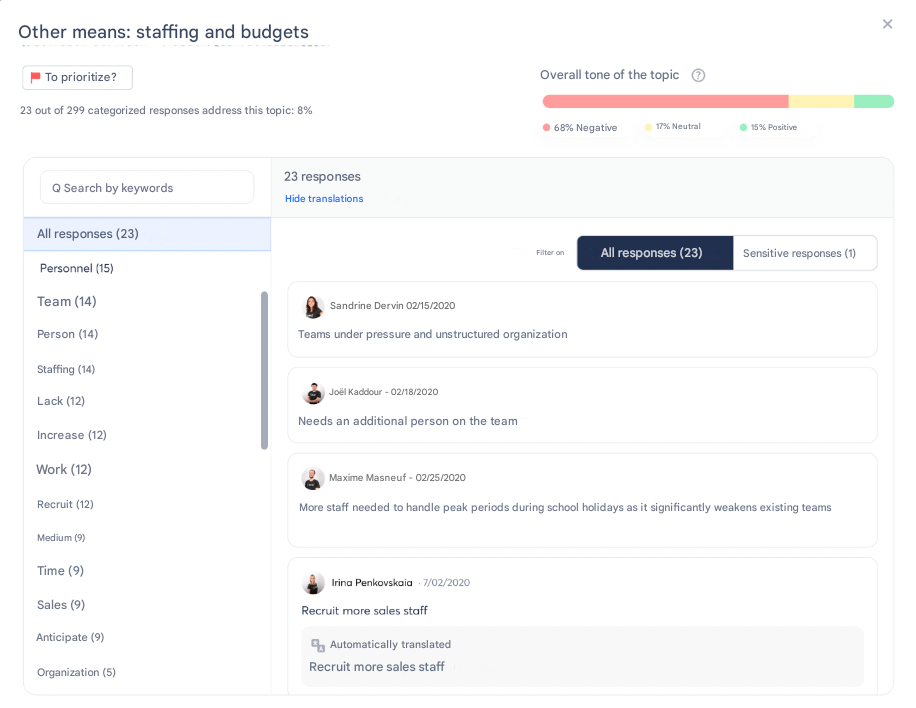
- Each theme can be opened in a dedicated modal to view associated comments.
- This allows you to:
- Focus only on priority comments.
- Put them into perspective with the overall sentiment of the theme (useful for contextualizing with your internal challenges).
🌟 Level 2: Prioritization matrix
Applicable to:
- Open text questions
- Comments
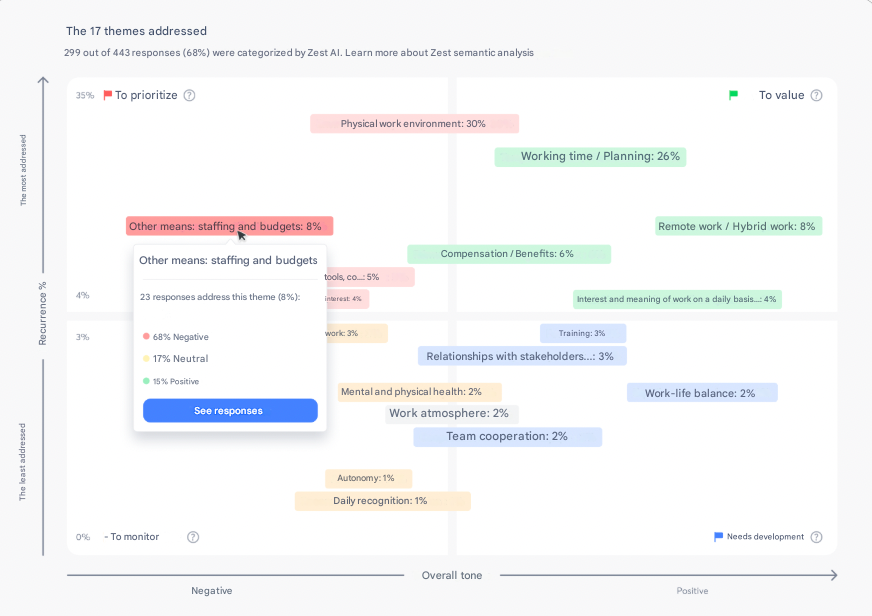
👉 Objective: browse all themes and classify them into zones:
- To prioritize
- To highlight
- To develop
- To monitor
Benefits
- Quickly identify the themes to act on first.
- Detect weak signals (both positive and negative).
- Make informed choices about which responses to analyze in detail.