📂 Fixed template (20 Engageometer questions)
Selected by our work psychologists, it is not editable (except removing Star Questions).
It includes:
- 18 questions measuring satisfaction across different aspects of work
- 1 direct engagement evaluation question (score from 0 to 10)
- 1 NPS question (likelihood to recommend the company as an employer)
📝 Characteristics:
- Scale-based (0 to 10)
- “Not applicable” option enforced on 3 questions
- 2 Star Questions selected by default (can only be removed)
✏️ Custom template (up to 10 questions)
- Optional
- Can be configured like a standard survey (conditional questions, targeting by population, attributes…)
- Coming soon: activation of Section Scores (average of selected score questions)
🧠 Focus on response types in Zest
🔘 Single choice
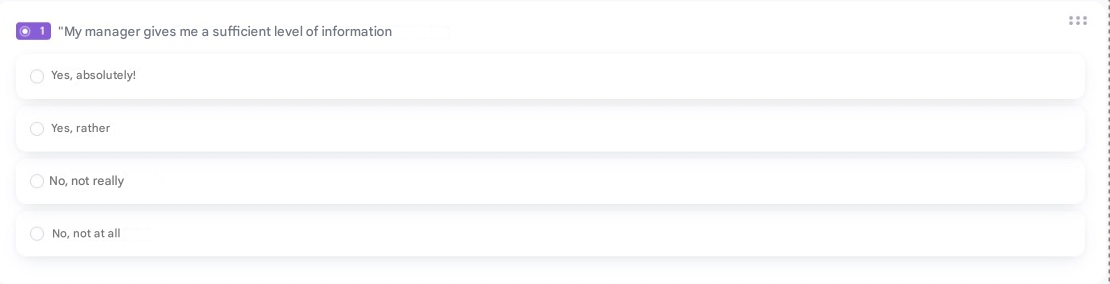
- ✅ Use when only one answer is expected
- Choose predefined options or create your own
- Option to add “Other” for custom input
- إمكانية إضافة comment field
🌟 Scored single choice
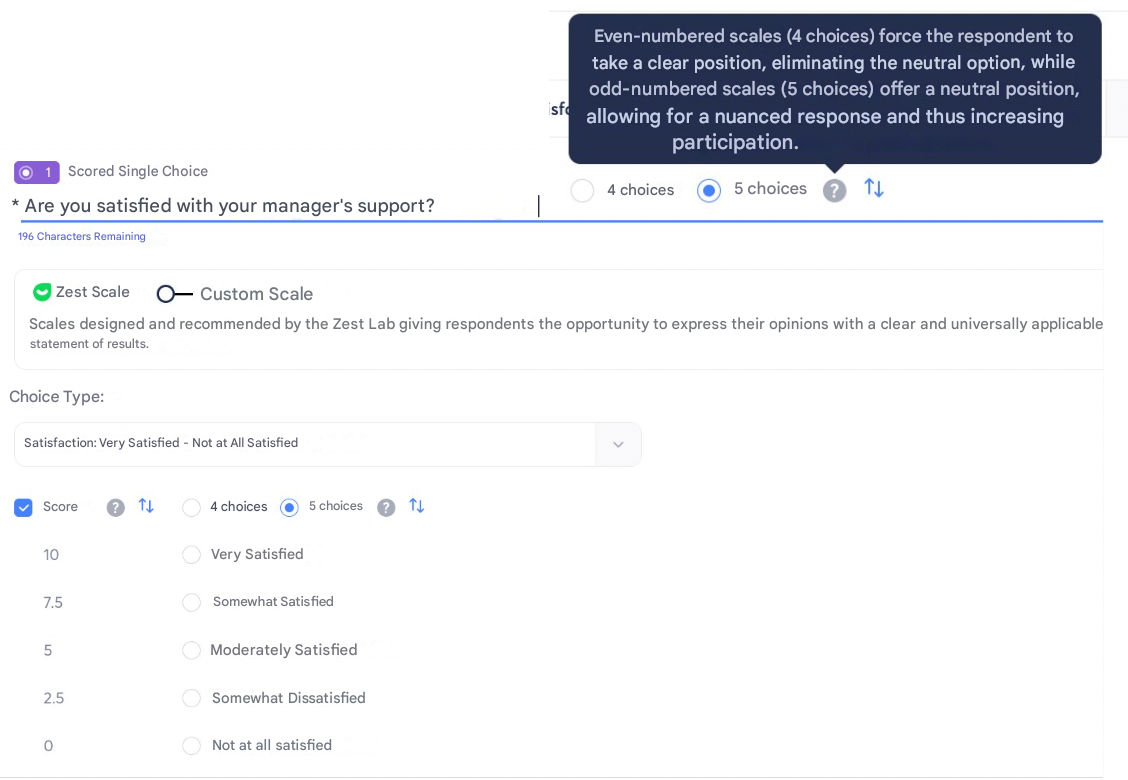
Zest predefined scales
- Fixed answer options
- Automatically calculated scores
- Even (4 choices) or odd (5 choices) scales — guidance recommended
Custom scales
- Customizable options
- Automatic, non-editable scoring
- Up to 11 scored options recommended
Mixed (custom + predefined)
- Ability to reverse scores
- Ability to reverse answer order
- Useful for contextual analysis
- Relevant for assessing psychosocial risks (RPS)
🔢 Multiple choice
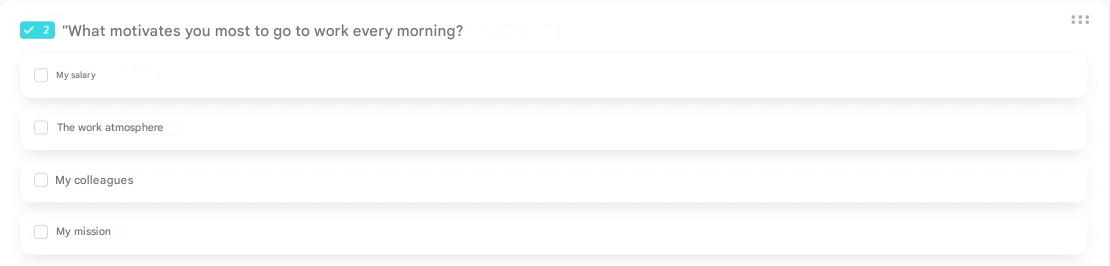
- ✅ Use when multiple answers are allowed
- Option to add custom answer and comment field
📃 Free text

- ✅ Use to collect ideas, suggestions, unstructured feedback
😊 Mood

- ✅ Use to express overall feeling
- Optional comment field
☁️ Weather

- ✅ Use for visual/emotional expression
- Optional comment field
🌌 Slider

- ✅ Use for more granularity (e.g., /10)
- إمكانية إضافة labels on both ends
- Optional comment field
📈 Rating

- ✅ Use to rate a topic, session, or content
- Optional comment field
📆 NPS

- ✅ Use to identify promoters/passives/detractors and calculate eNPS
- Optional comment field
🔹 Matrix
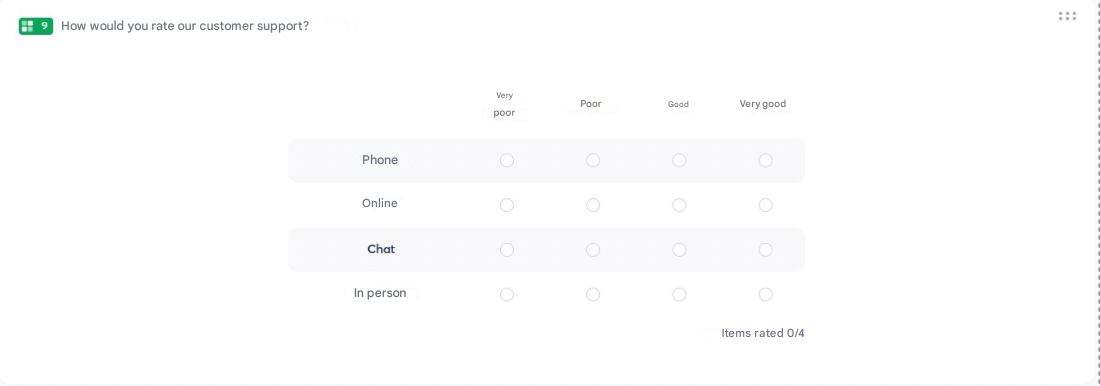
- ✅ Use to evaluate multiple items with the same scale
- ⚠️ Available only in classic experience (not conversational)
- Recommendation: max 5 items / max 4 answer options
🔍 Comparison: Illustrated scales vs Slider
| Illustrated scales | Slider | |
|---|---|---|
| Purpose | Emotion, perception, experience | Measurement, evaluation |
| User experience | More engaging, visual, user-friendly | More analytical |
| Reporting | /5 → less granular but sufficient for feelings | /10 → more precise and detailed |
📄 Additional options
- Add a comment field (not available for text or matrix questions)
- Add a “Not applicable” option
- Add instructions under the question
- Make a question optional
- Mark as Star Question ⭐
- Add to question library
- Duplicate or delete a question