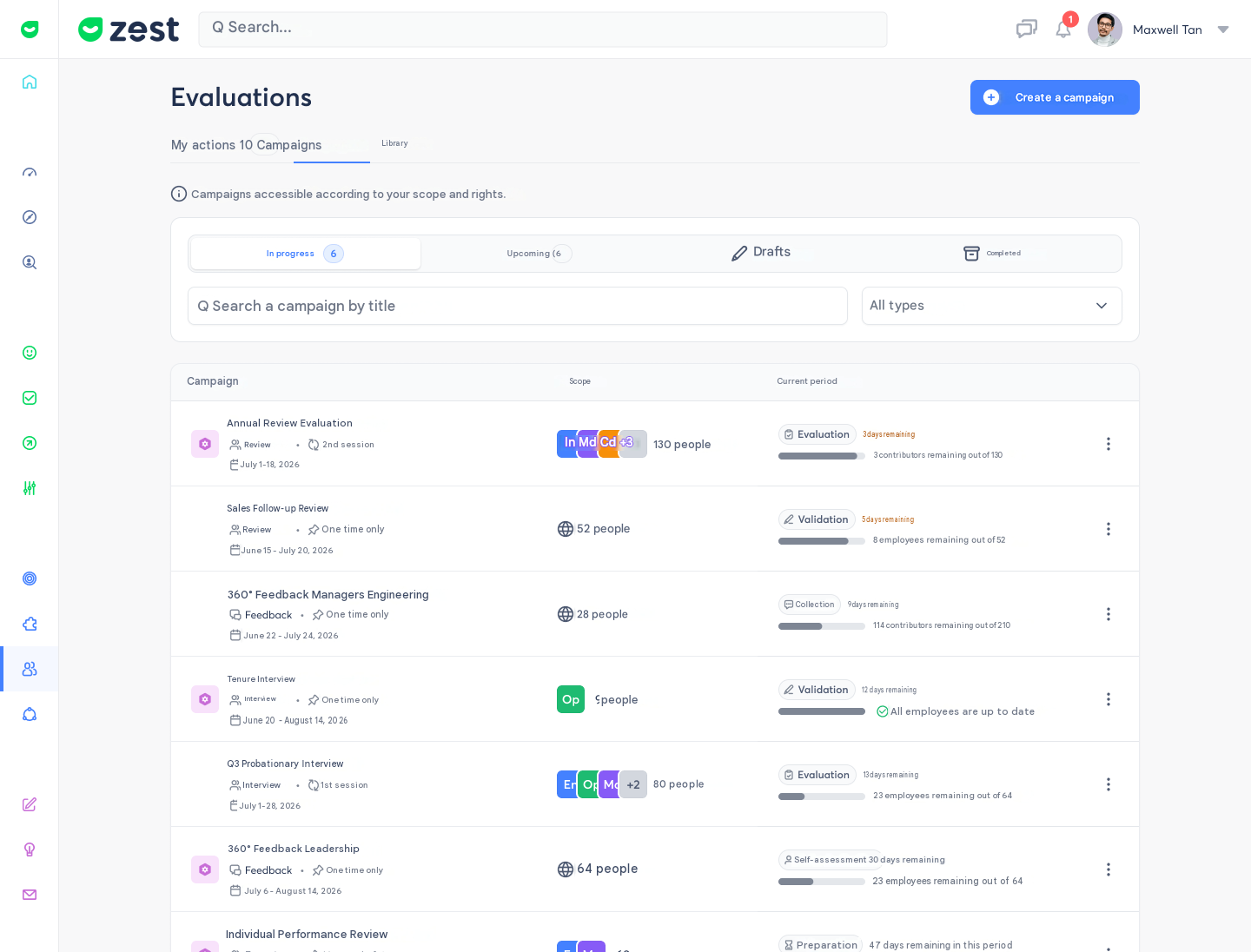
✨ Find and prioritise your campaigns at a glance
What exactly is it, and what's the goal? 🤔 Your evaluation campaign list has been completely redesigned. It's now organised into four tabs — Ongoing, Upcoming, Drafts, Completed — each sorted by what matters most for it: under "Ongoing", the campaign whose period closes soonest comes first. The goal: know where to start without opening a single campaign, and see at a glance where each one stands — the current step, the time left, and who still needs to act.
How does it work? 🧐 From the Evaluations page, the Campaigns tab shows your interview and 360° feedback campaigns, based on your scope and permissions. Each row carries its type, frequency, dates and scope; the central column shows the current step, the days left in the period (in orange when 5 or fewer remain) and who still needs to act. Automatic interview campaigns appear at the top and show their coverage instead, since each employee enters on their own date. For completed campaigns, a single figure answers the only question that matters: how many interviews actually took place. Search by title, filter by type or period, then open a row to access its results.