1️⃣ Automated Campaigns
What is it exactly, and what’s the goal? 🤔
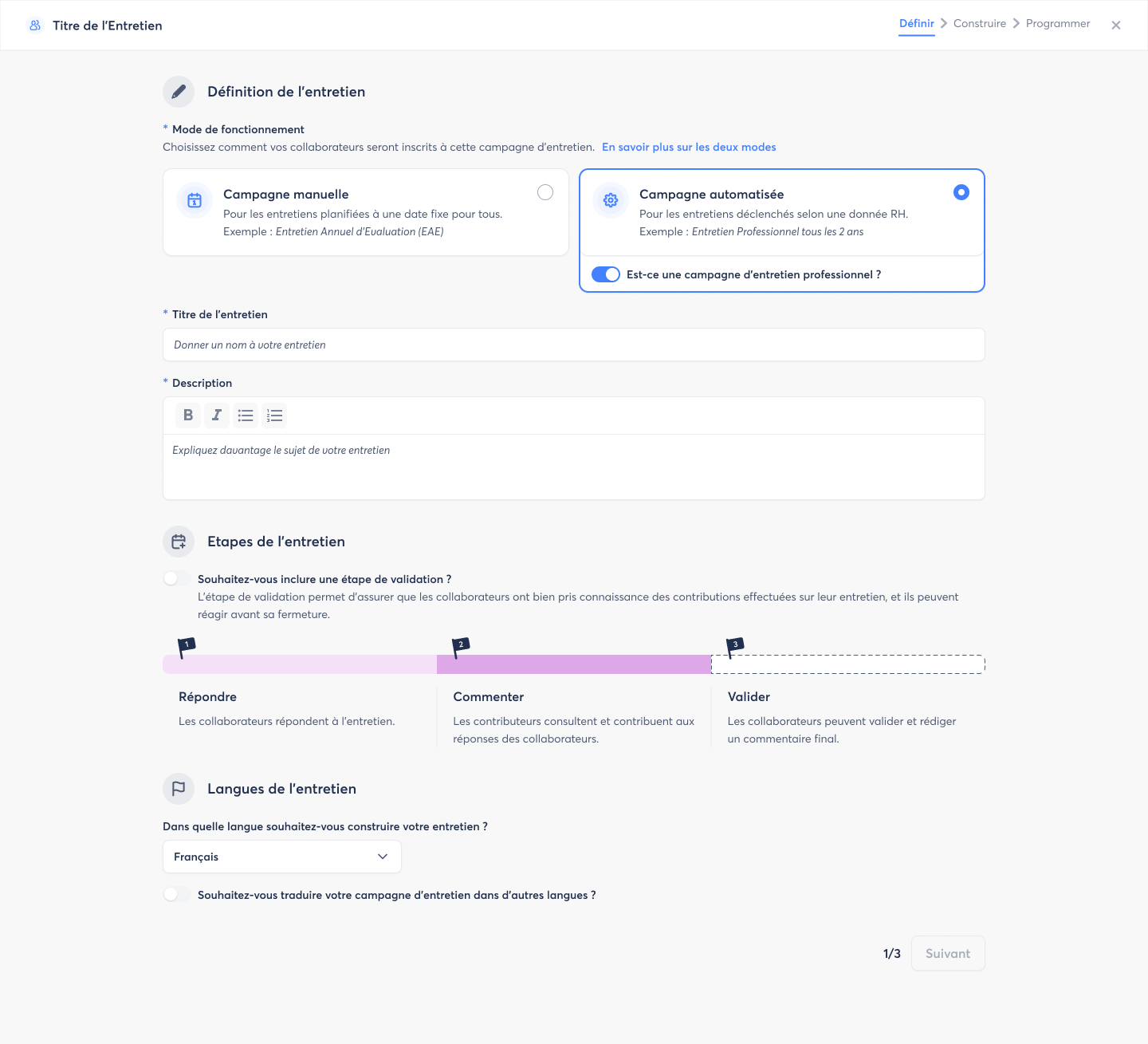
Automated campaigns allow you to manage your employee reviews without manual follow-up, using your HR data (hire dates, end of probation, last review, etc.). This includes professional review campaigns, ensuring that each employee always has the correct review date and that legal deadlines are respected.
Key objectives:
- Never forget an eligible employee
- Comply with legal deadlines
- Reduce administrative workload for HR teams
How does it work? 🧐
- You create the campaign and set up the automatic registration rules.
- The system registers eligible employees every day at 7 a.m., according to the defined rules.
- For “Professional Review” campaigns, the date of the last review is automatically updated.
- Today 02/03: campaign setup, launch, and automatic registration of employees
- Tomorrow: access to campaign details, tracking progress, and available actions
2️⃣ Redesigned Campaign Management Page for Check-ins
What is it exactly and what’s the goal? 🤔
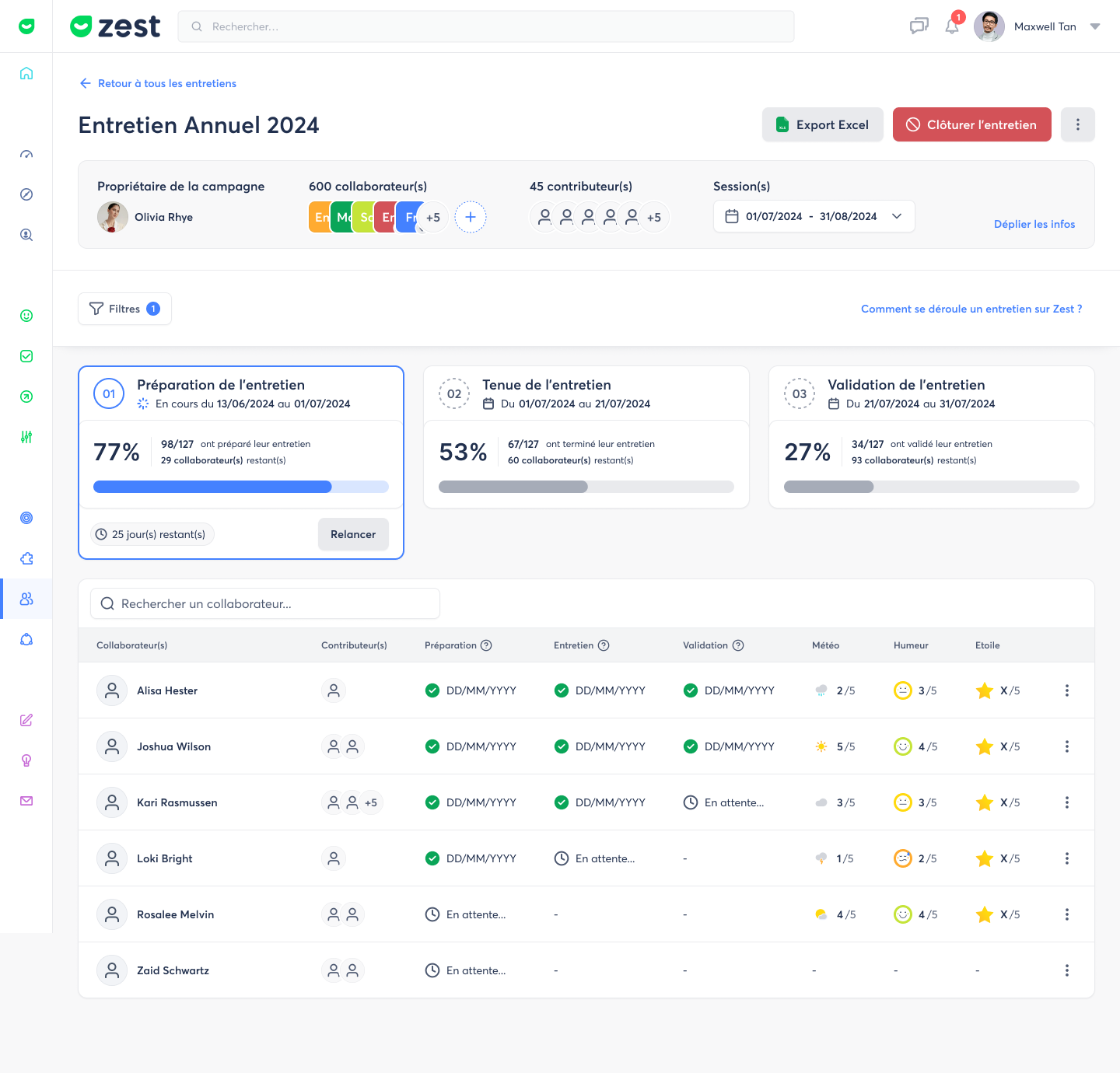
The campaign management page for check-ins has been completely redesigned to provide a clearer, more visual, and action-oriented experience. Whether it’s for professional check-ins, annual evaluations, or follow-up meetings, everything is centralized so HR, managers, and contributors can see exactly where the campaign stands and what actions are possible.
Key objectives:
- Get a global view of progress: preparation, execution, and validation
- Quickly identify employees who haven’t participated yet
- Make follow-ups and tracking easier to ensure nothing is missed
- Simplify the interface and filters for quick and efficient reading
How does it work? 🧐
- The main view shows campaign progress at a glance: participation %, check-in statuses, and next steps.
- Filters are simplified, allowing each user to focus on what matters to them: HR, manager, or contributor.
- Quick actions let you follow up, validate, or check check-in details directly from the page.
🌟 Thanks to this redesign, managing your check-in campaigns is now simpler, clearer, and much more efficient.
3️⃣ Automatic contributor updates
What is it and what’s the goal? 🤔
When a campaign is already in progress, updating contributors is now much simpler.
This improvement makes it easy to add newly detected contributors, without heavy manual steps or risk of errors.
Key objectives:
- Save time when managing contributors
- Avoid omissions and complex manual updates
- Ensure the reliability of ongoing campaigns
- Keep existing contributors secure
How does it work? 🧐
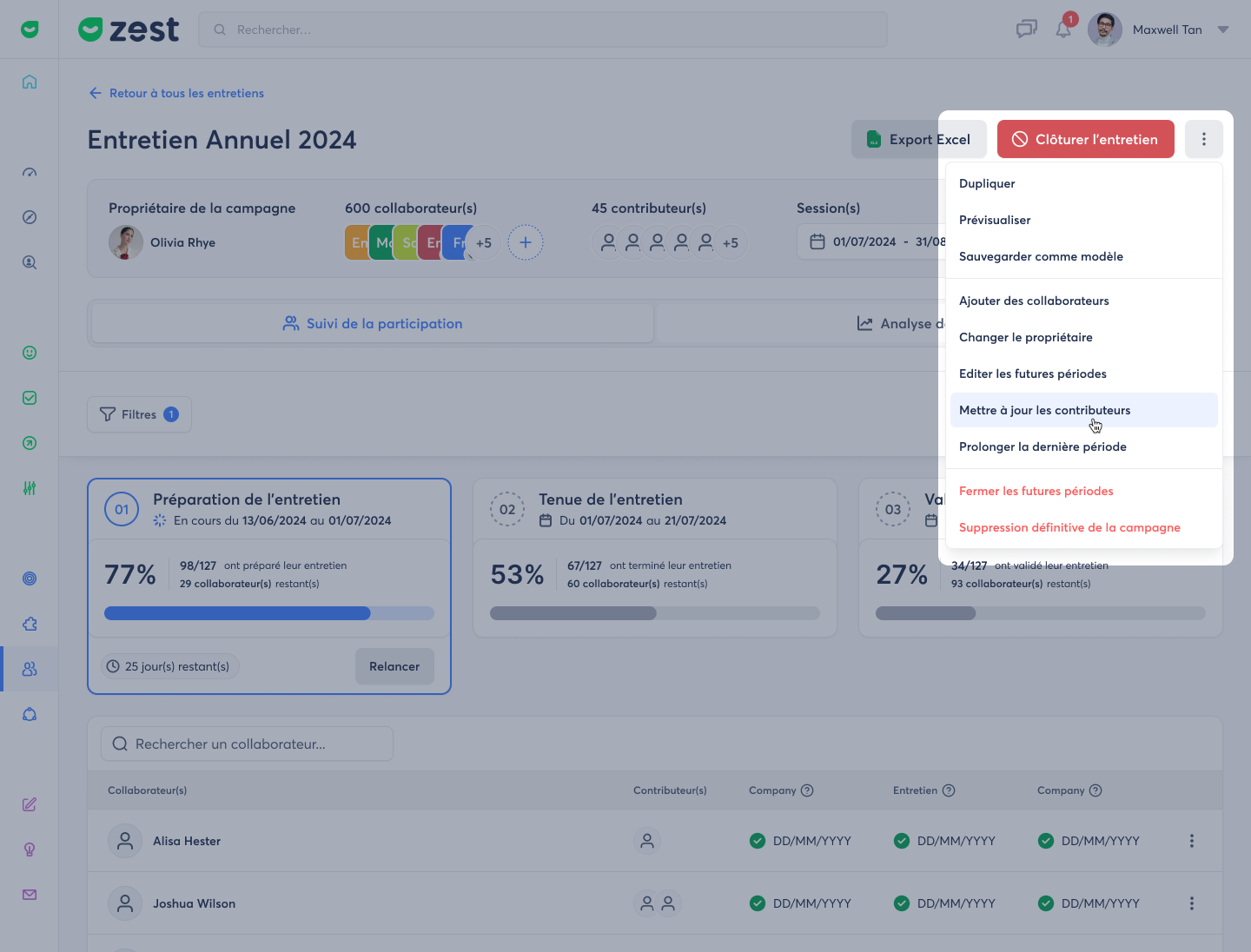
- Update contributors in SmartOrg from the Back Office.
- Go to the relevant campaign.
- Click on “Update contributors”.
- A modal opens and displays the detected changes.
- Confirm in one click to add the new contributors to the campaign.
👉 Synchronization works by addition, not replacement: existing contributors are never removed.