From the Back Office, then the Global settings tab: go to the Share sub-tab 👇🏼
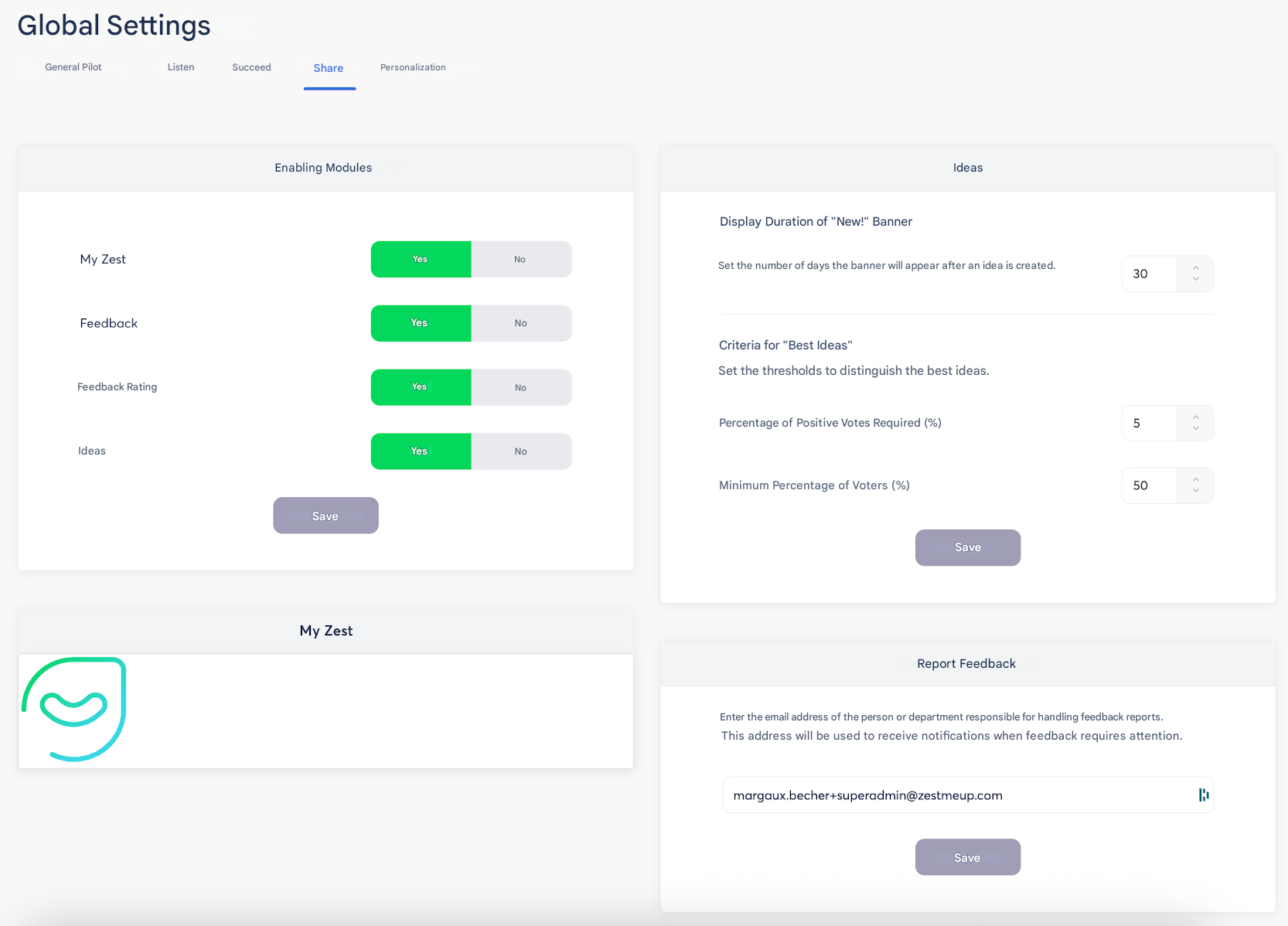
At the bottom right of the screen, you have a section dedicated to configuring an email address for feedback reporting. Enter the email address of the person or department responsible for handling feedback reports. This address will be used to receive notifications when a feedback requires special attention.
How to submit a report?
Reports can be submitted from the feedback tracking page by clicking on the “…” on the right side of the submitted feedback 👇🏼
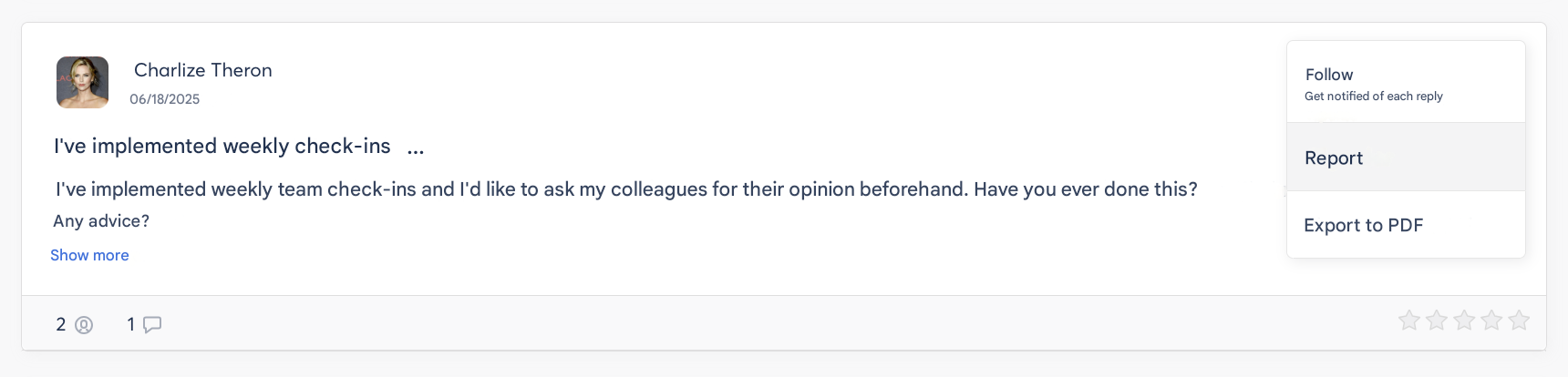
For information, it is also possible to track the different reports and receive notifications.