⚙️ Back Office – Managing permissions for the Engageometer
🎯 Objective
The Back Office allows you to precisely define who can:
- Access Engageometer results
- Create an Engageometer
- Receive alerts related to highly sensitive comments detected
📍 Where to configure?
- Go to Back Office > Permissions
- Open the Listen tab
- Adjust permissions by role, according to the assigned scope
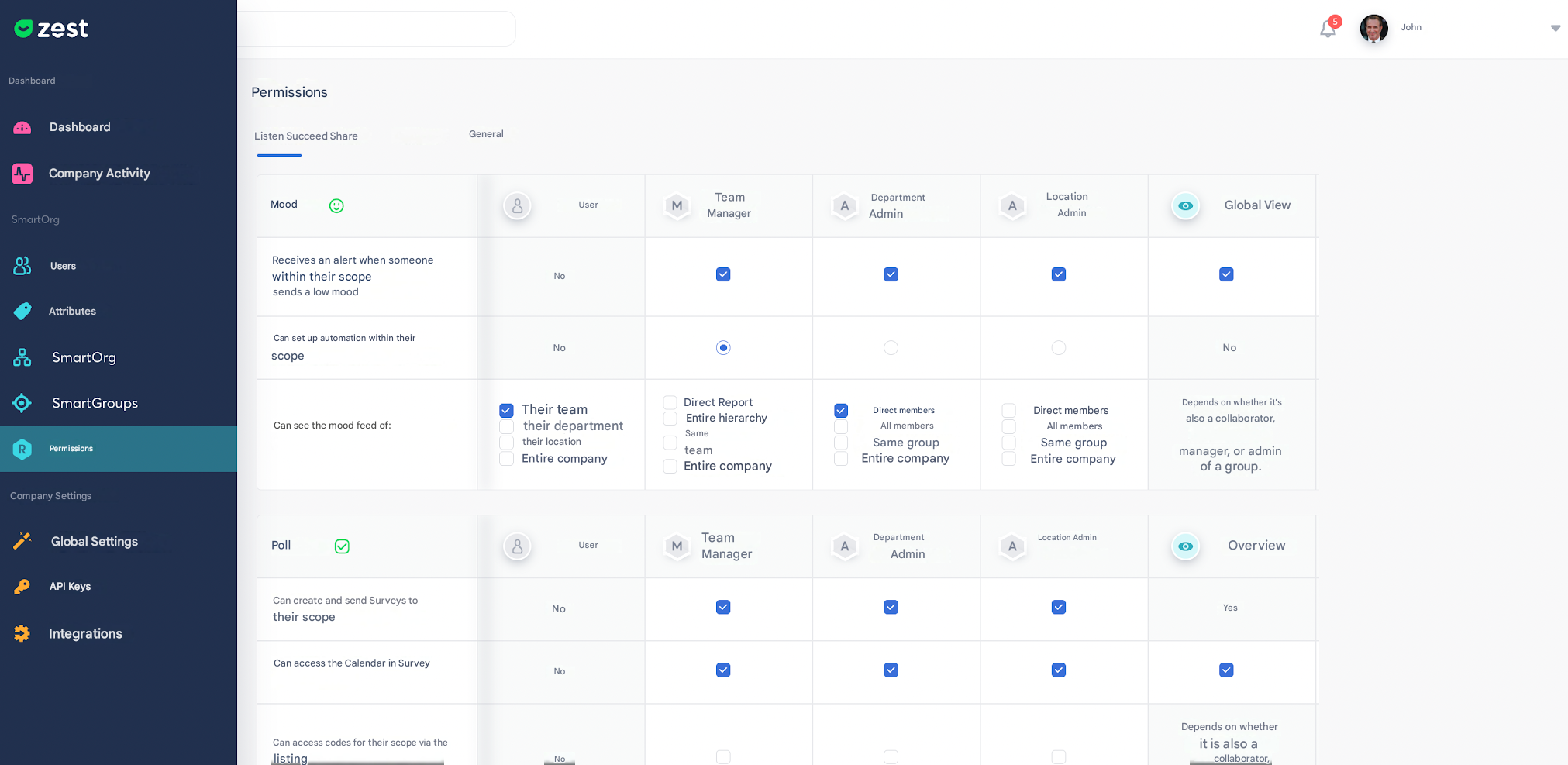
🔔 Managing sensitive comment alerts
- The Super Admin can enable or disable alert notifications for each role
- Simply check or uncheck the corresponding box
- Alerts only concern highly sensitive comments (high level detected by Zest AI)
💡 Tip: Define a limited number of recipients to avoid duplicates and enable faster response.
📌 Key points to check
- When configuring the Engageometer, remember to grant access to results to the relevant roles
- A detailed article is available via the “Learn more” link in the Back Office