Generate your surveys in natural language with AI ✨
What exactly is it, and what's the goal? 🤔
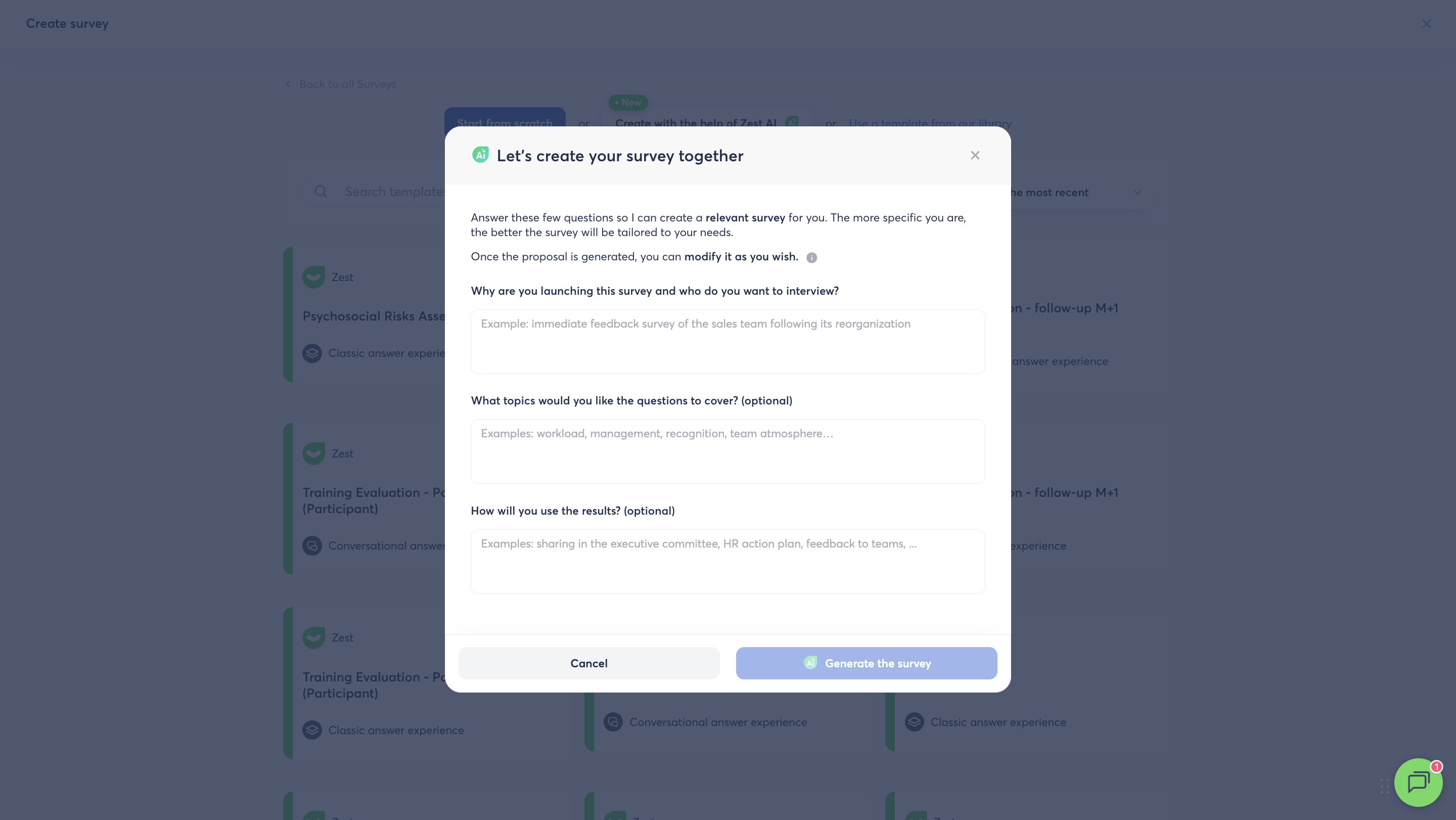
Say goodbye to the blank page! Zest now lets you generate a complete survey (title, description and questions) simply by describing your need in natural language, instead of starting from scratch or picking a fixed template. The goal: save you time getting started, and get relevant questions right away, each with the right format (single choice, scale, open text, NPS…), even without survey methodology expertise.
How does it work? 🧐
From the Surveys module, start creating with AI assistance and answer 3 simple questions: why you're launching this survey, what information you're looking to get, and what you plan to do with the results. Within seconds, Zest generates a ready-to-use survey (7 to 10 questions), which you'll find directly in the usual builder to freely adjust before launching it.
This month, others several improvements make your day-to-day work on Zest even easier: more flexibility when managing your Sondage campaigns, redesigned filters for a clearer population selection, and more readable Detailed Results.
Here's the full overview of what's new in August 2026.
📋 At a glance
| Category | What's new | What this means for you |
|---|---|---|
| Campaign management | Editing a single-choice question's score after launch | No need to relaunch a session just to fix a score |
| Campaign management | Redesigned session-adding modal | Fewer duplicate Sondages, history preserved |
| Campaign management | Warning message before duplicating | You know what you keep (or lose) before duplicating |
| Campaign management | Managing campaign owners post-launch | Add/remove an owner without a technical request |
| Campaign management | Reworked Planification step | A clearer setup inside the builder |
| Campaign management | Enriched Résumé page | A safer pre-launch check (checkpoints + testing) |
| Campaign management | Clarified participation-rate wording | Less confusion in the Sondage listing |
| Filters | Quick selection of an attribute's values | Time saved when customizing filters |
| Filters | Redesign of population filters | A clearer population selection |
| Filters | Benchmark filter hidden when irrelevant | A cleaner interface |
| Filters | Favorite filters | Reuse a filter combination in one click |
| Filters | New filters on the semantic analysis page | A semantic analysis consistent with the rest of the results |
| Detailed Results | Collapse/expand all questions | Faster navigation through Detailed Results |
| Detailed Results | Clarified 1–5 scale | Less confusion with scores harmonized out of 10 |
🚀 Managing your campaigns (Sondages)
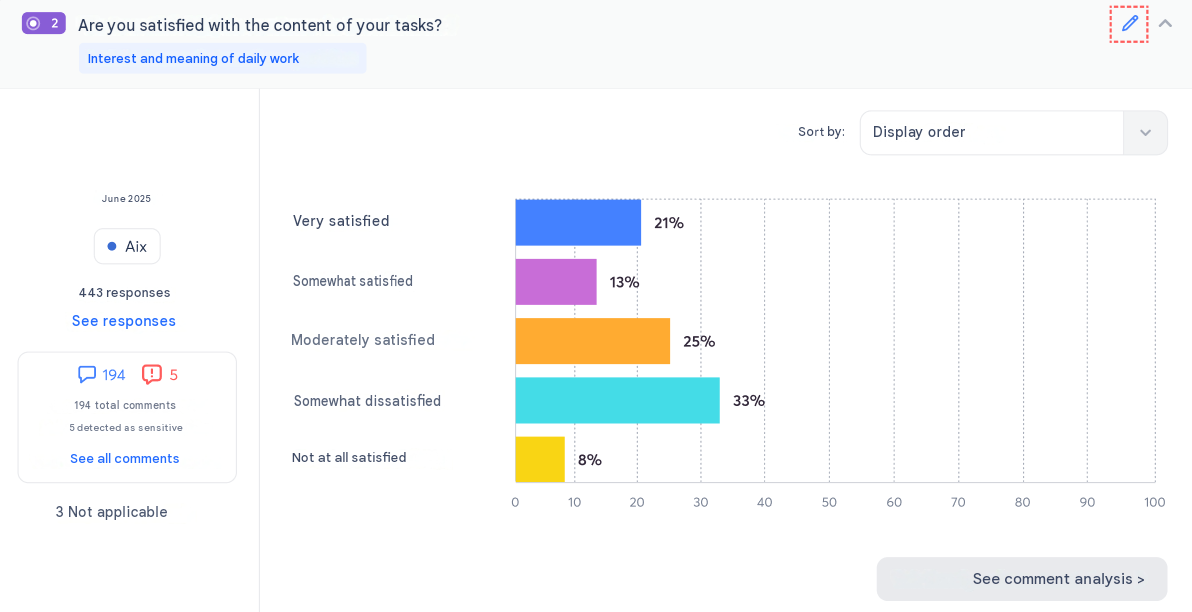
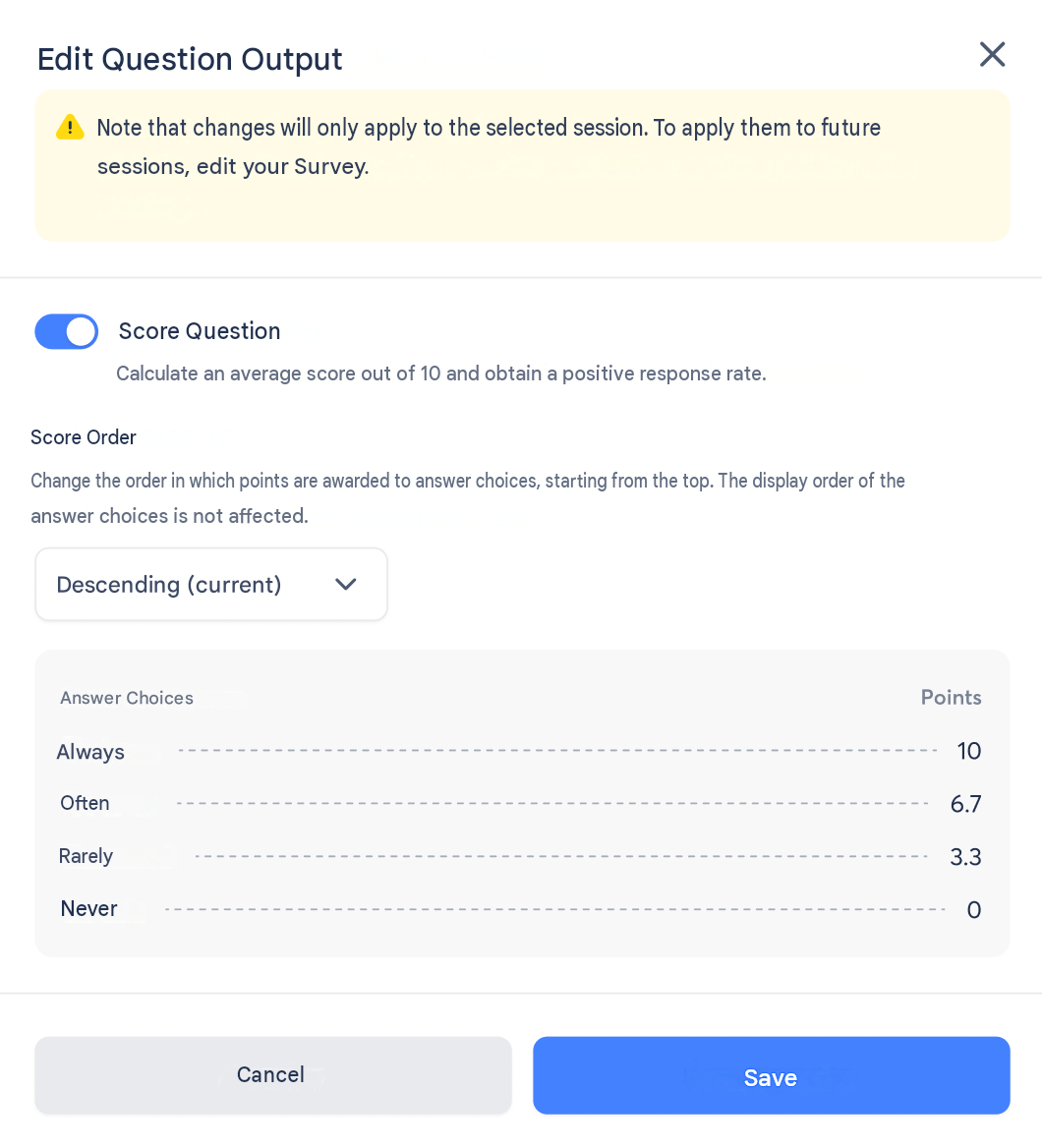
Edit the score of a single-choice question, even after launch
On the Detailed Results page, a pencil icon now appears next to every single-choice question, visible only to the Sondage's owners. It lets you:
- add a score to a question that didn't have one to begin with;
- reverse the direction of scores that already exist.
A redesigned session-adding flow
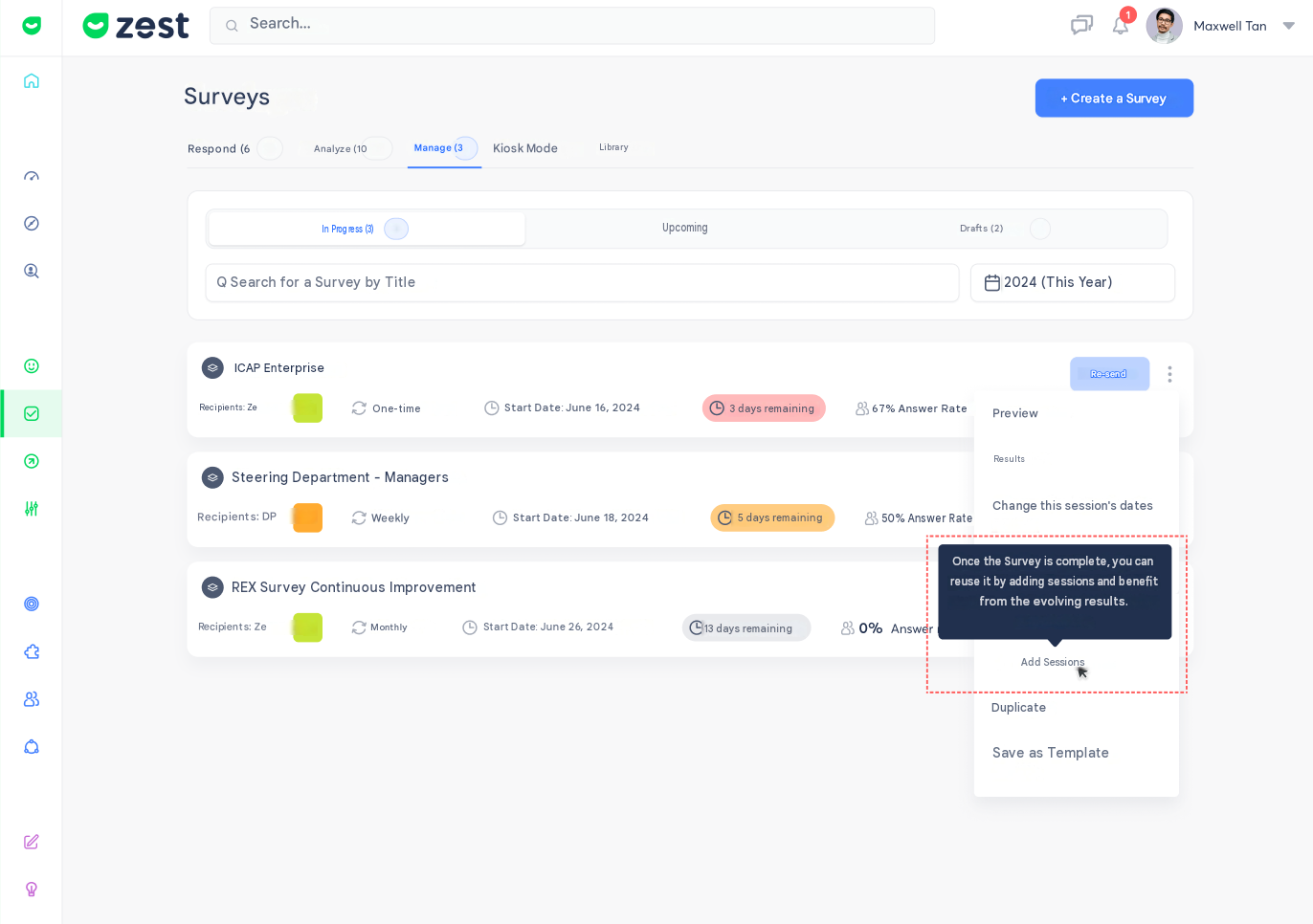
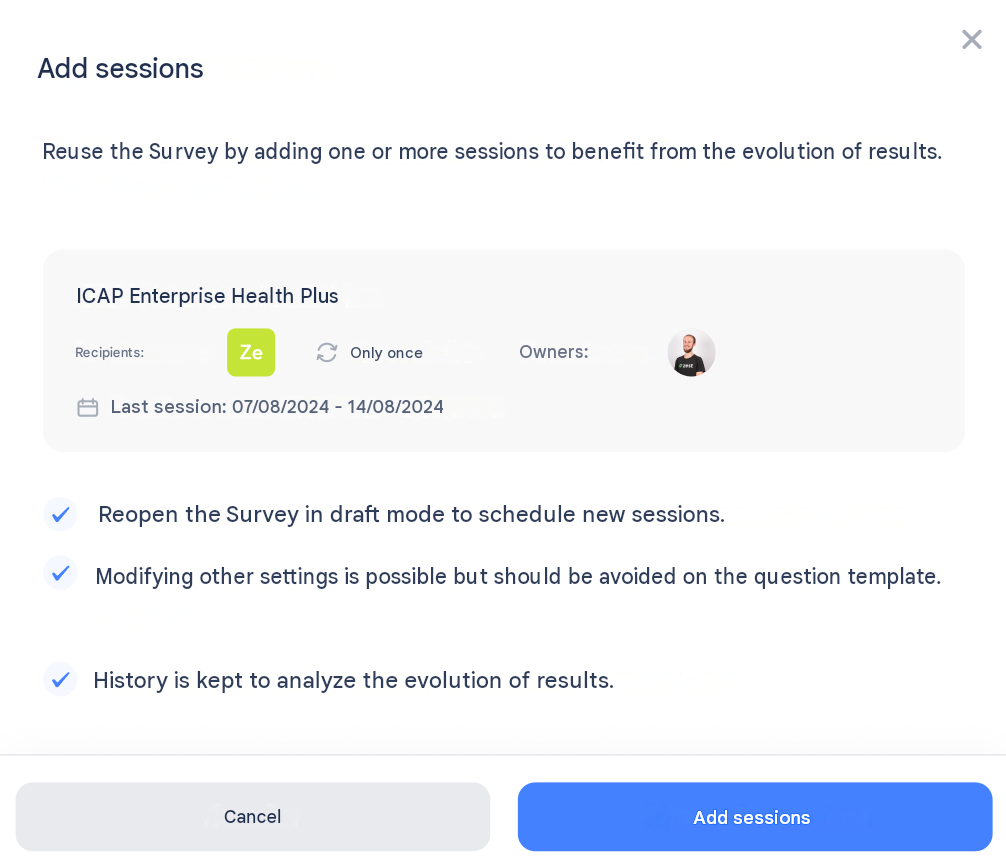
From the Sondage listing, the Add sessions button is now visible even when the current session hasn't ended yet. In that case, it stays greyed out, with an explanatory tooltip. The content of the add-sessions modal has also been reworked for greater clarity.
A warning message before duplicating a Sondage
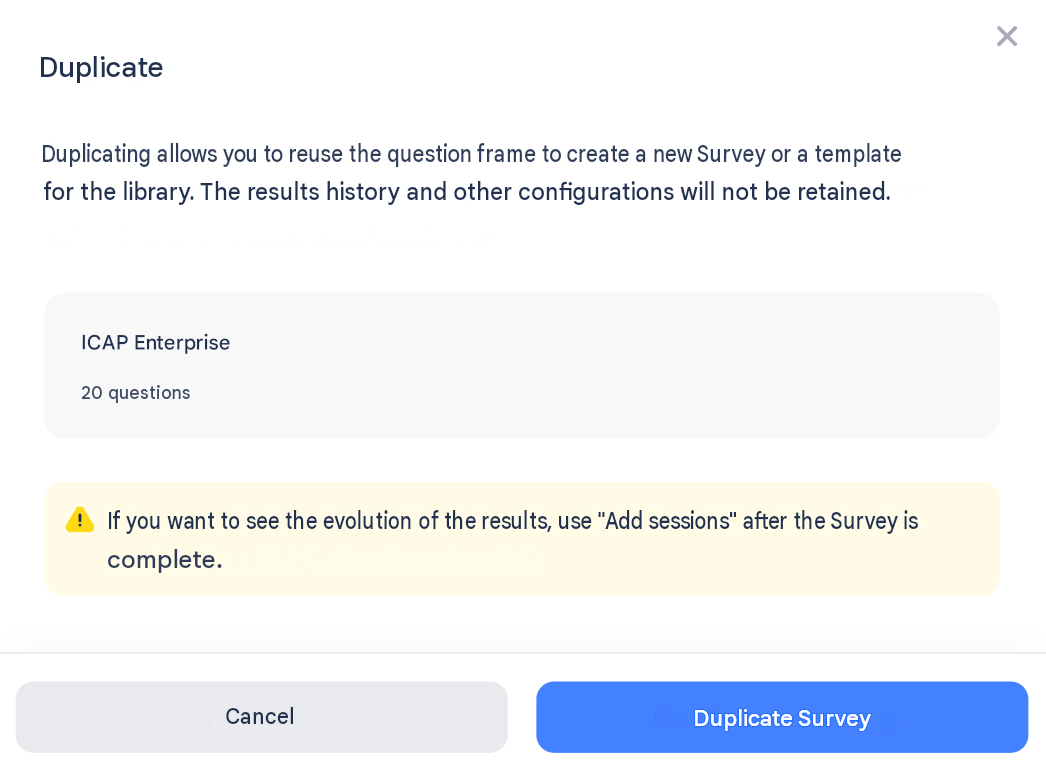
When you click Duplicate, a pop-up now clearly explains that only the question framework is carried over — history and results are not kept. The draft created is labelled (duplicate).
Manage campaign owners
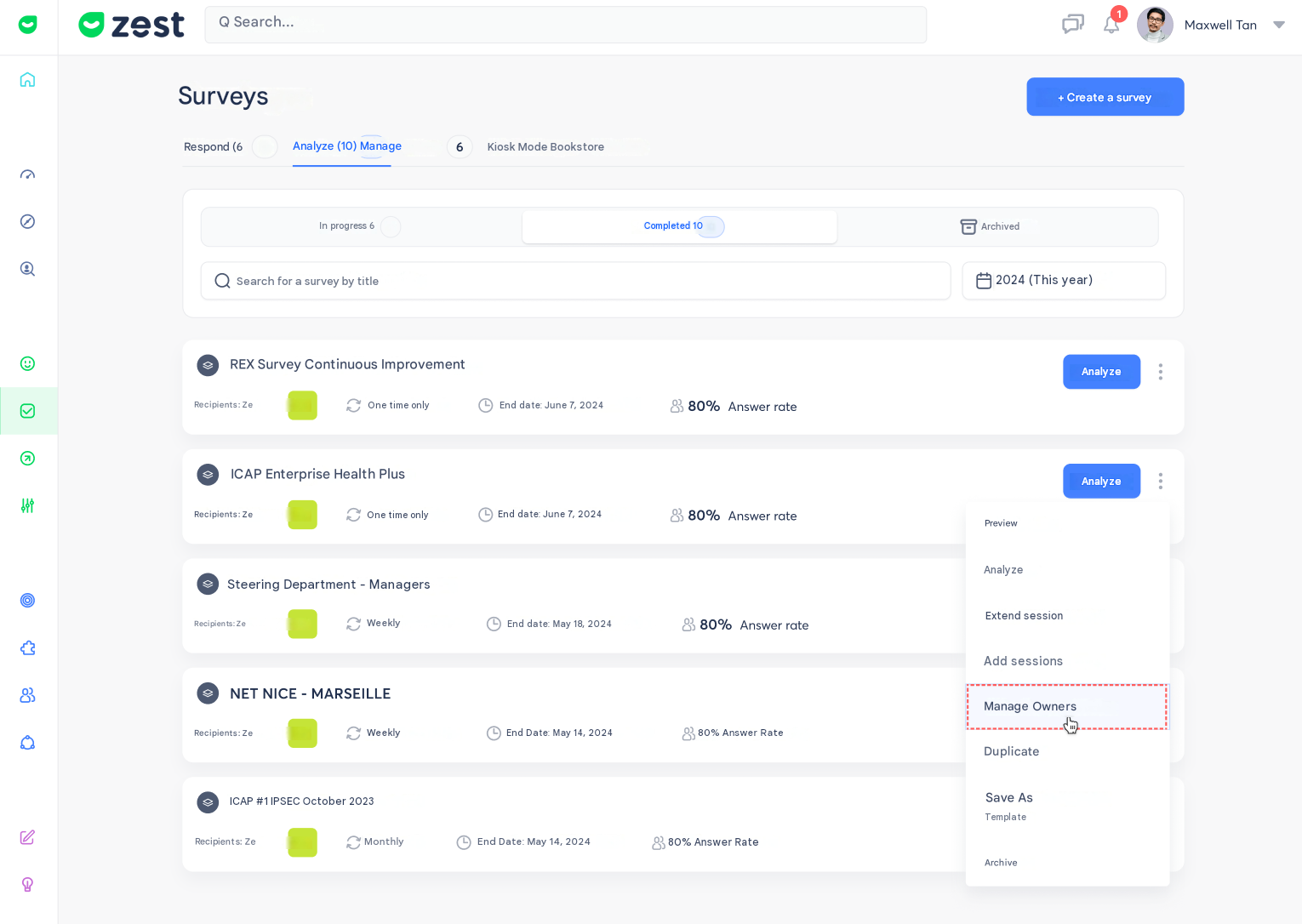
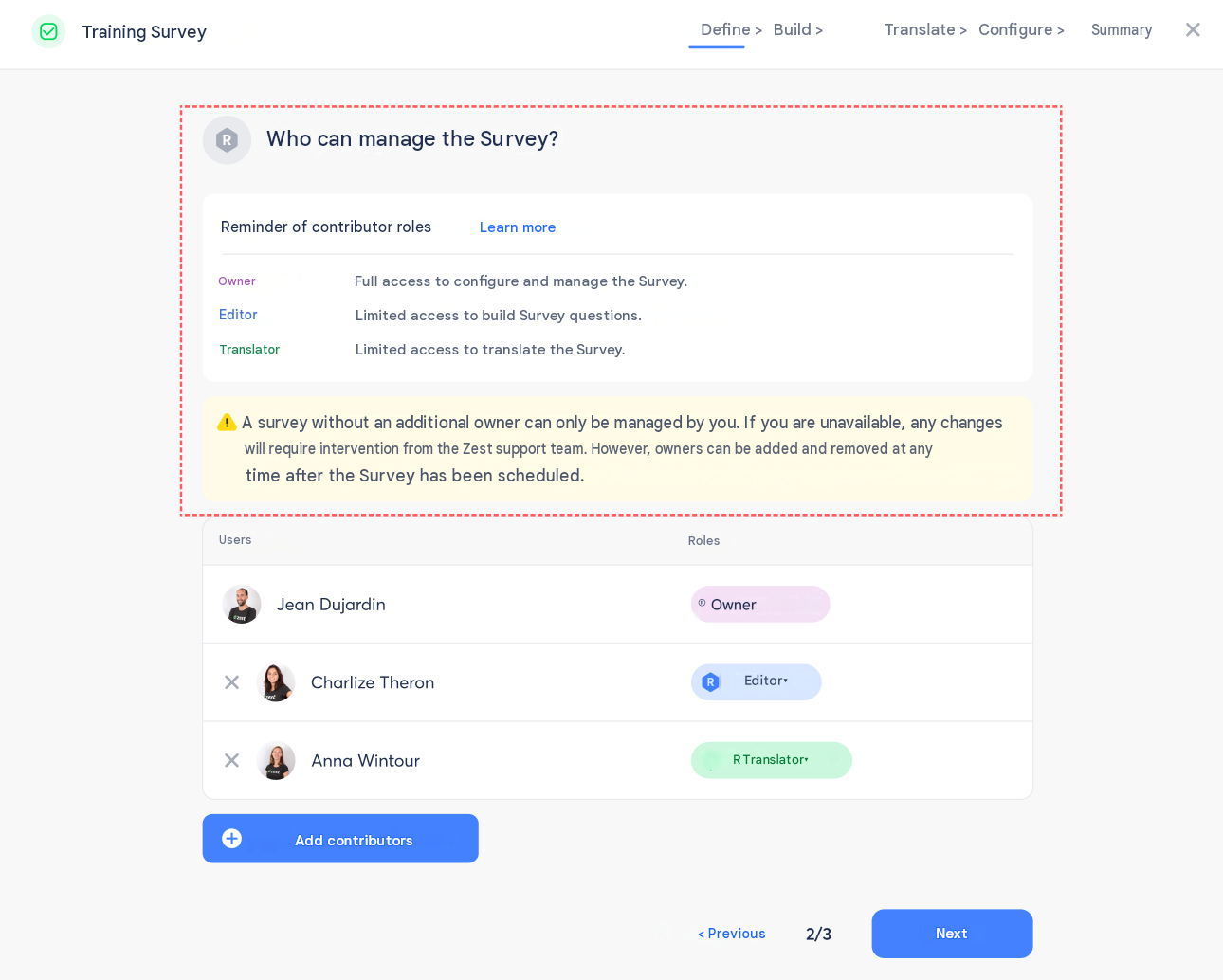
A new Manage owners button is now available both in a Sondage's menu and in the side panel. It lets you add or remove owners after your Sondage has launched. Additional guidance has also been added during the Sondage build, when defining co-owners, editors, and translators.
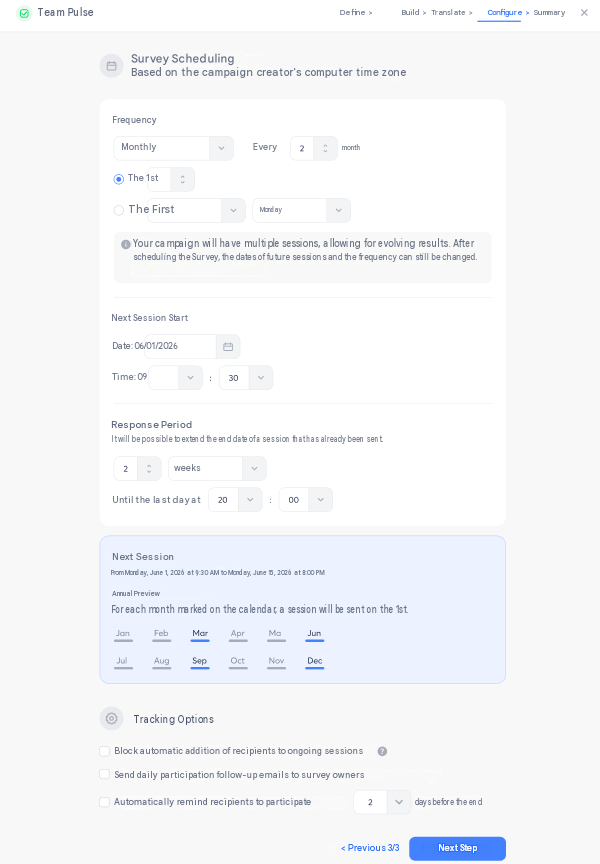
A clearer "Planification" step when building your Sondage
The Planification step of the builder has been reworked overall for greater clarity, with a clear separation between scheduling itself and follow-up options.
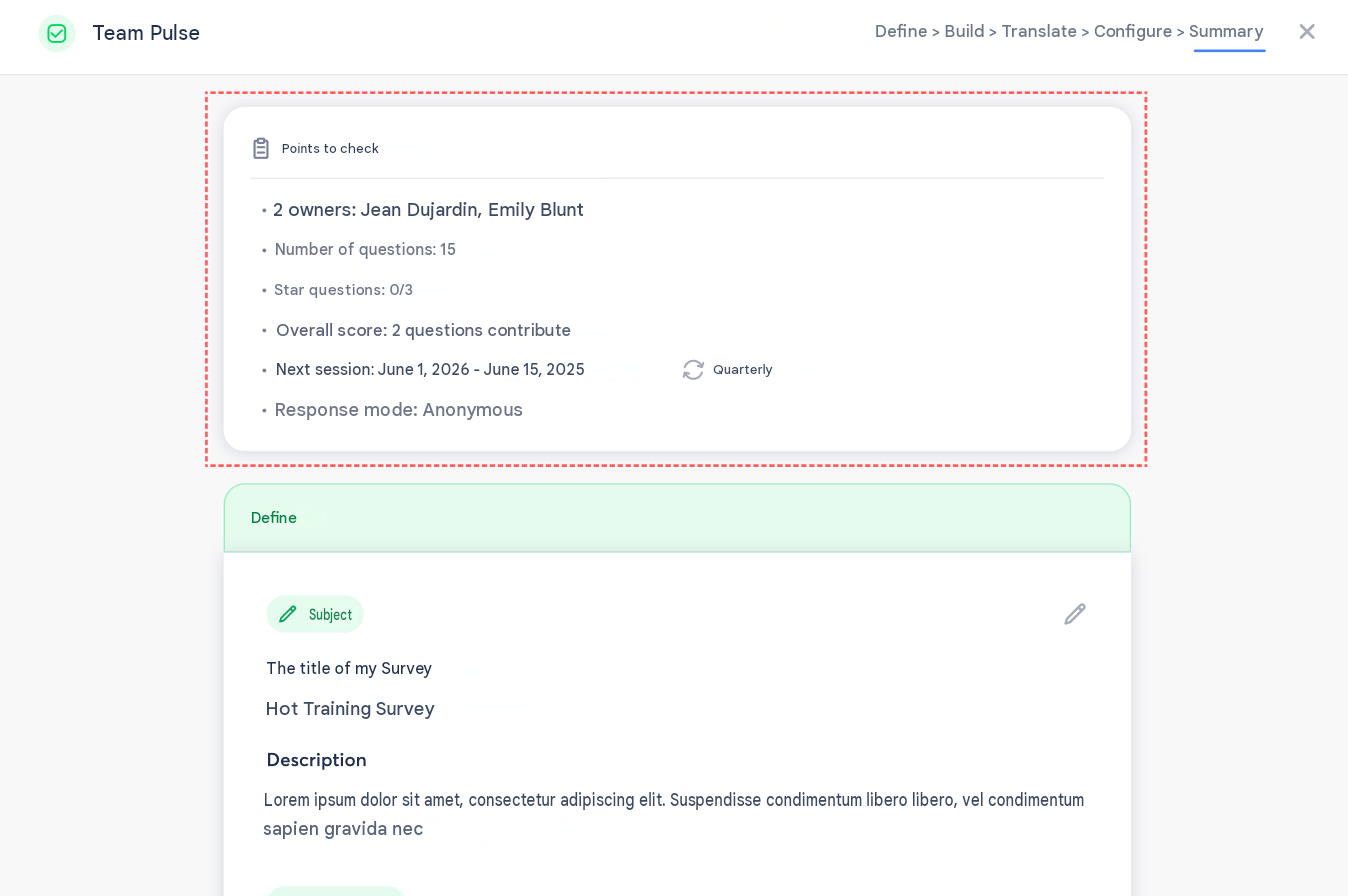
A summary page that guides you before launching
The page evolves to better support you before launching a campaign:
- a Points to check box invites you to review your configuration;
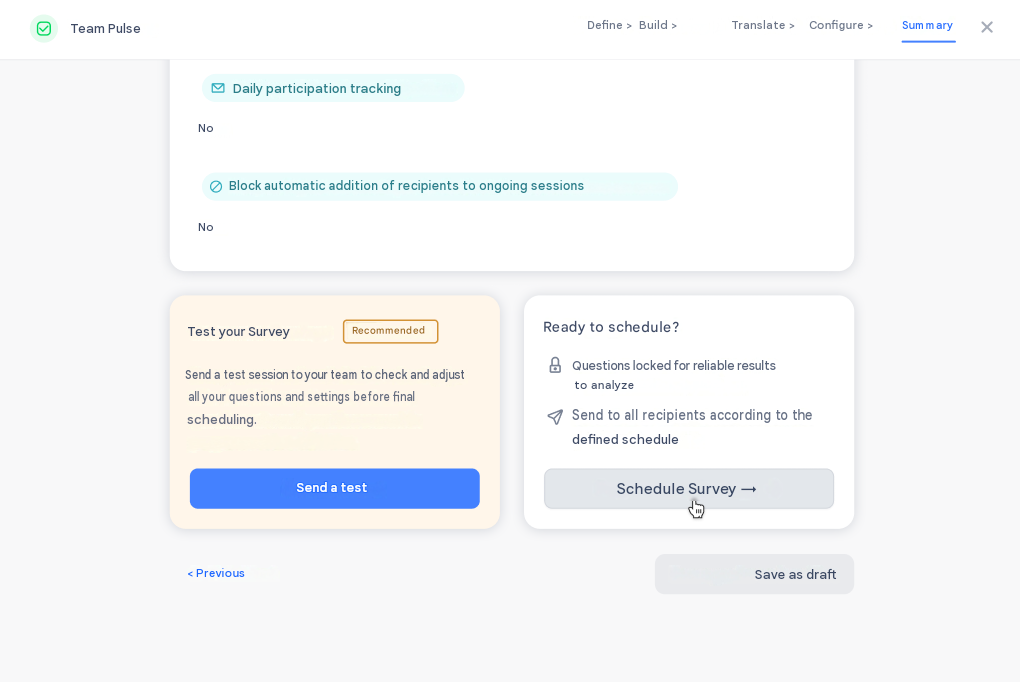
- the test flow is highlighted with a Recommended badge and a message explaining the value of testing your Sondage before scheduling it for good;
- a confirmation pop-up recaps the key information and asks you to confirm that you've tested the Sondage before scheduling it.
Clearer wording on the participation rate
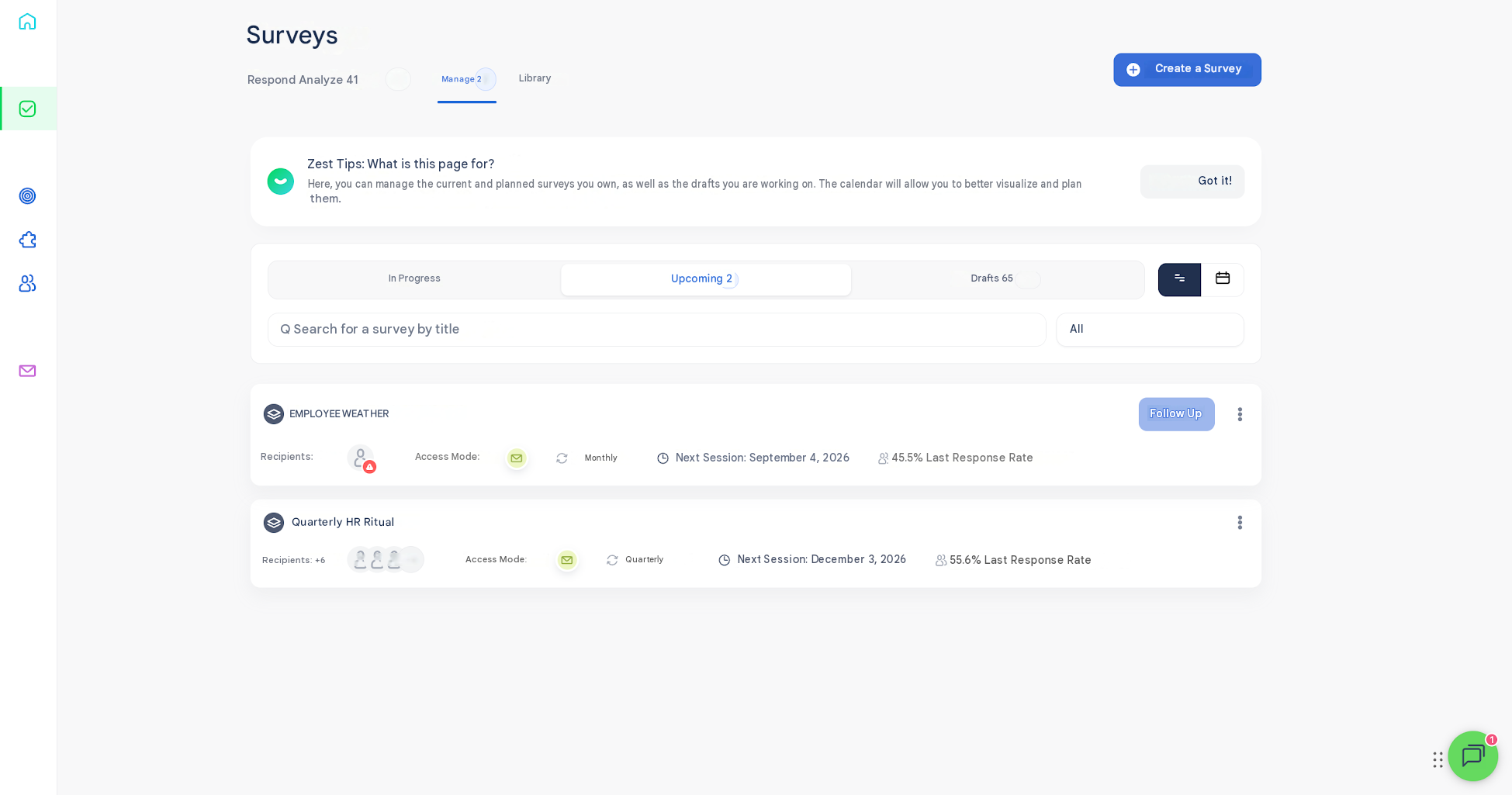
In the Manage tab, Upcoming view, the participation-rate label has been clarified to avoid any confusion between the displayed response rate and an upcoming session that's already scheduled.
⚙️ Filters and segmentation
Quickly select all values of an attribute
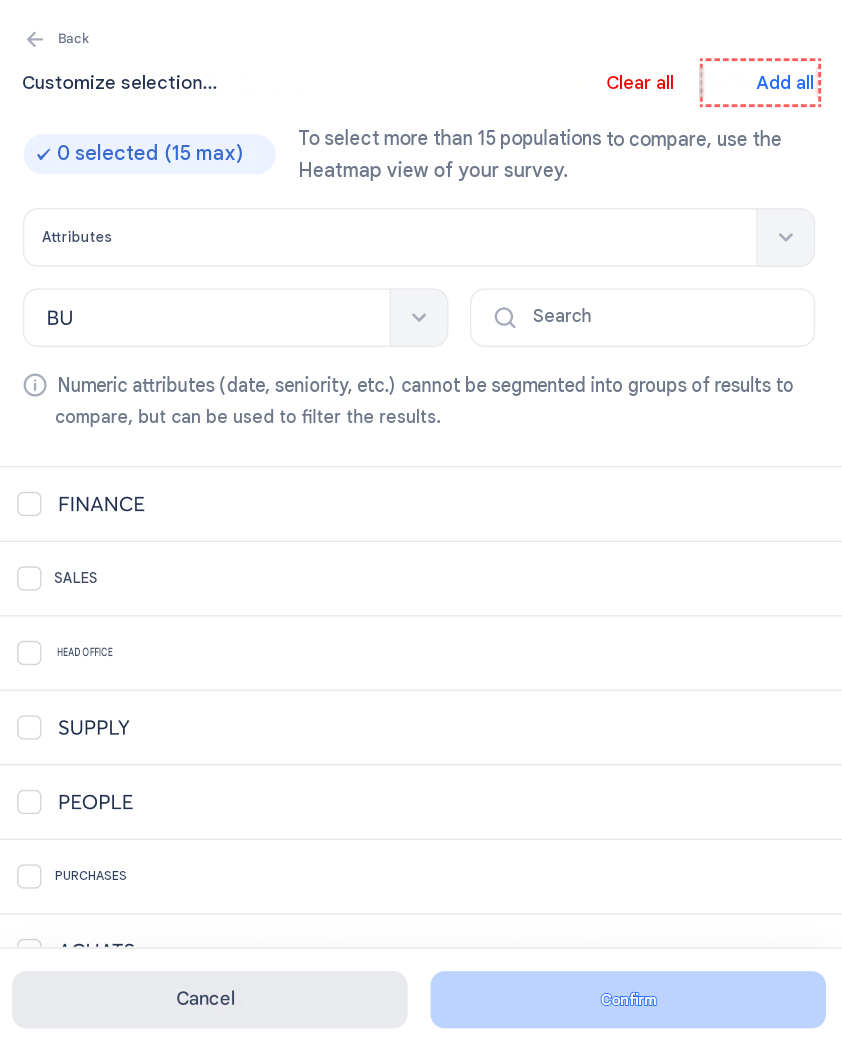
In the Customize selection panel, a blue Add all link now appears next to Clear all, for every text-type attribute. This saves you from clicking value by value when you want to select everything and then remove just a few values manually.
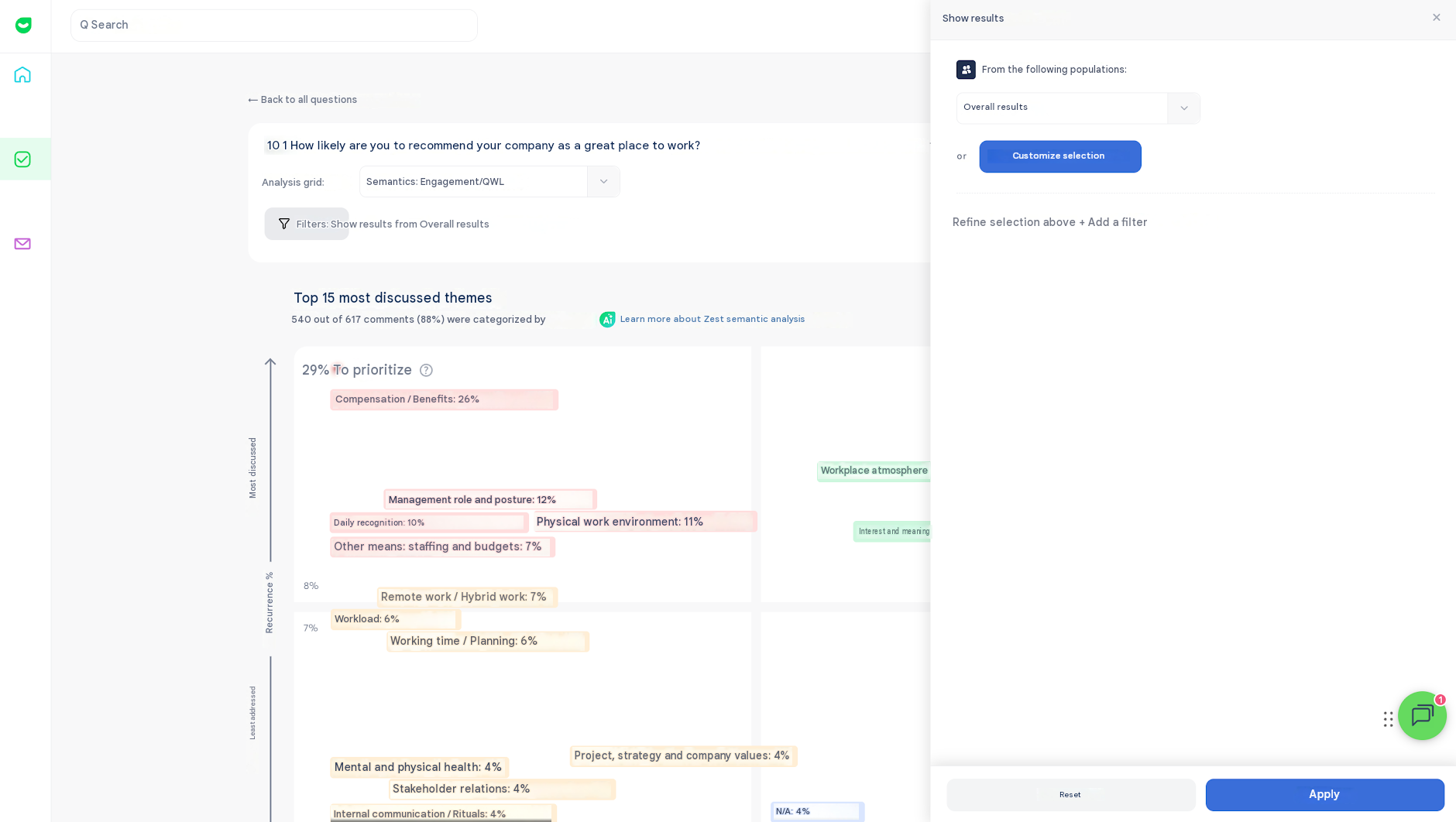
A complete redesign of population filters
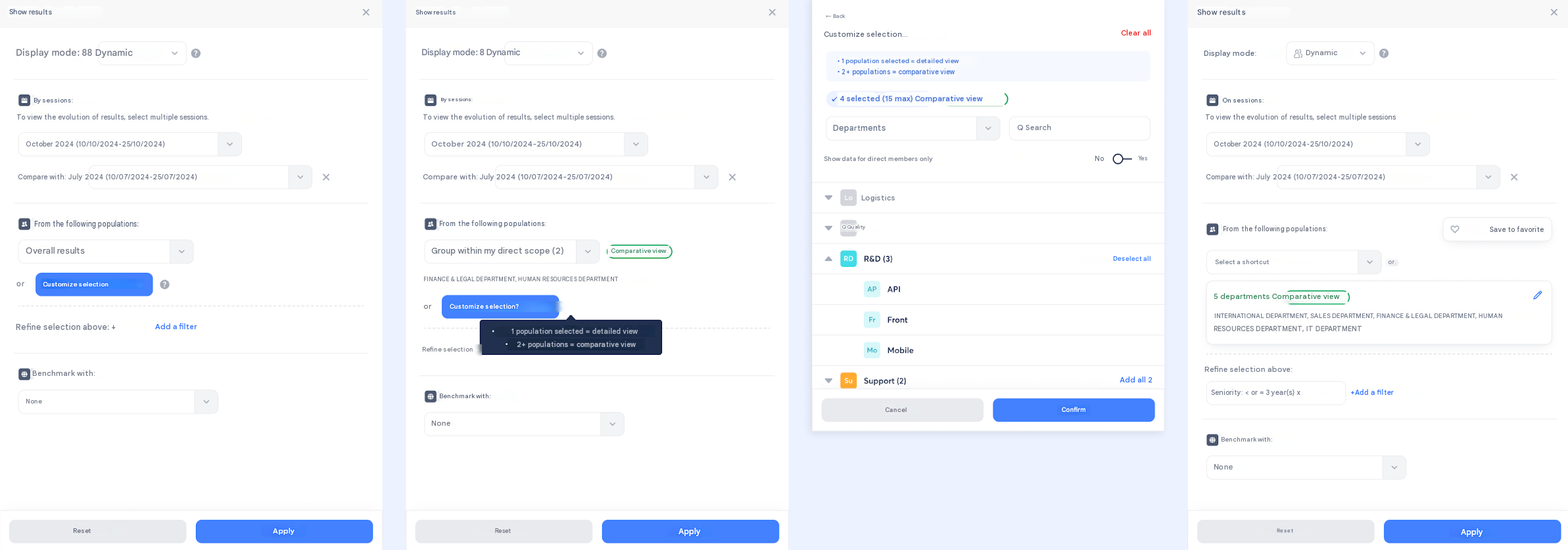
Population selection has been clarified across the board, on Sondages and on the Engageomètre.
- clearer distinction between shortcuts, custom selection, and added filters;
- the Customize selection button is now more prominent;
- an enriched custom-selection card (number of groups, full names, easier editing);
- the Comparative view tag is now visible in the right places;
- simplified wording throughout the interface.
The Benchmark filter disappears when it's not needed
When the only available benchmark option is <span style="color:red">None</span>, the Benchmark section is now automatically hidden, so it doesn't clutter the interface with an unusable filter.
Save your filter combinations as favorites
You can now save a filter combination to reuse it quickly, without having to set it up again for every analysis.
The new filters are now available on the semantic analysis page
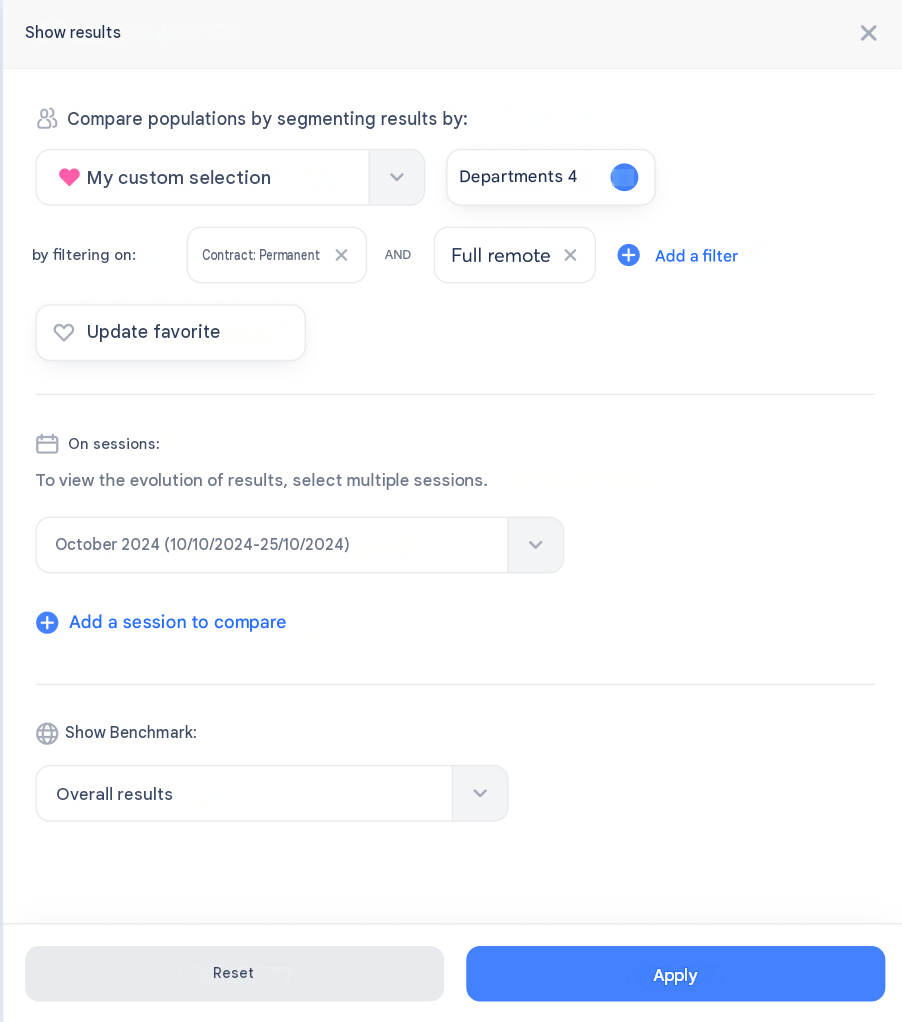
The reworked filters (populations, etc.) are now available on the semantic mapping page, in line with the rest of the filter redesign.
📊 Detailed Results
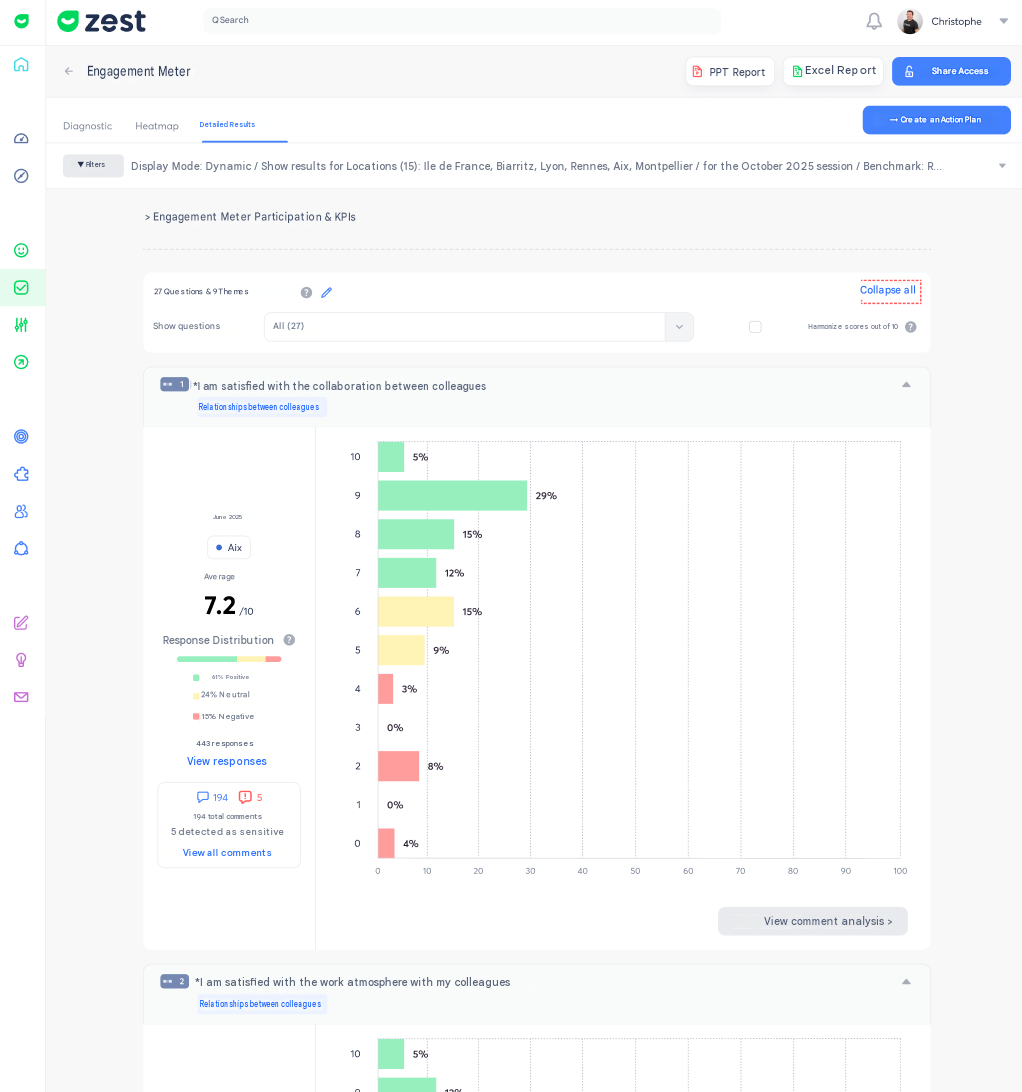
Collapse or expand all questions in one click
An Expand all / Collapse all link is now available in the questions filter on the Detailed Results page. It lets you act on all question cards in a single click, instead of opening them one by one.
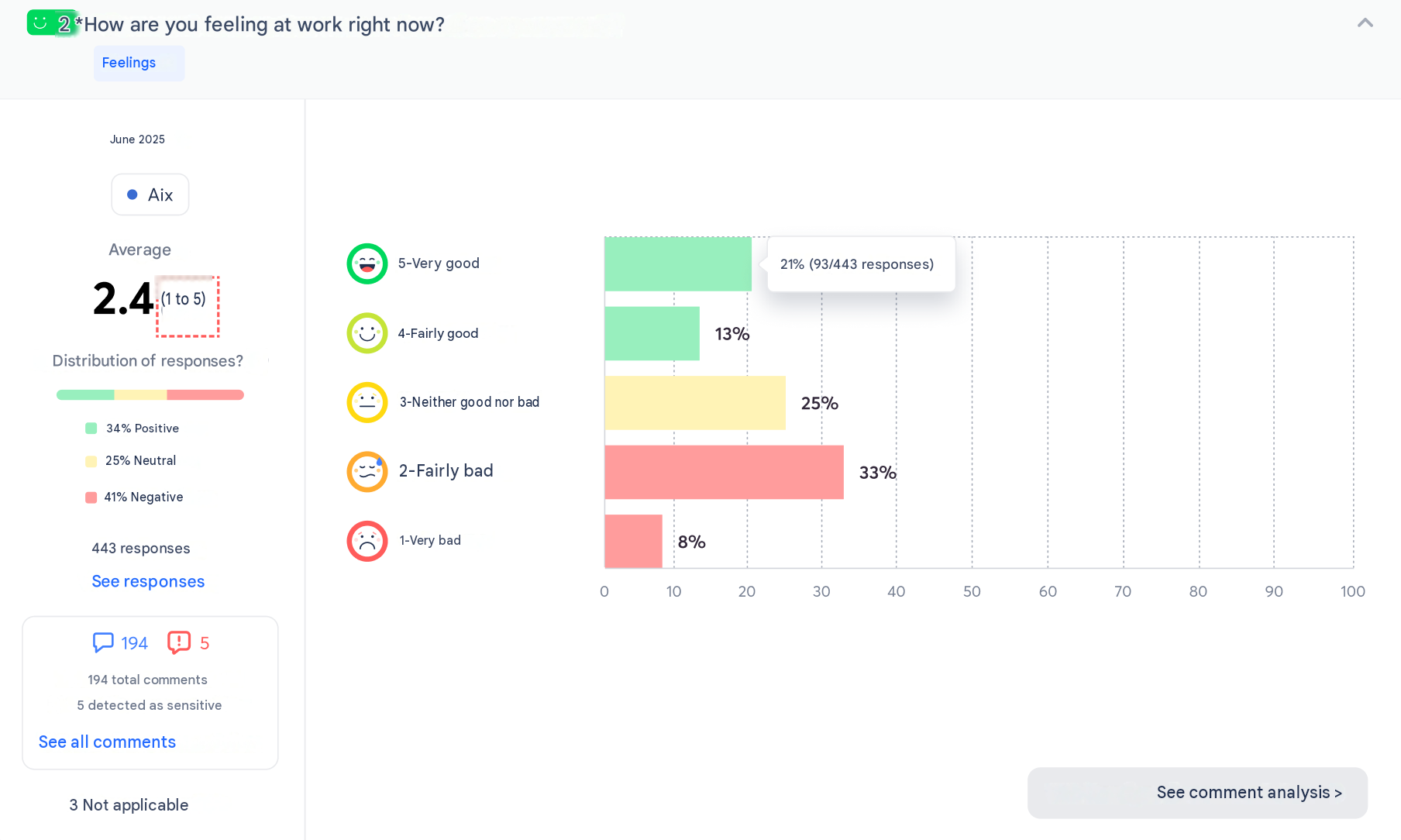
A clearer 1-to-5 scale for Mood, Weather, and Rating averages
On the Detailed Results charts, the "/5" label has been replaced with "(1 to 5)", to avoid any confusion with a 0-to-5 scale — particularly when these averages are compared with scores harmonized out of 10.