Coming soon: a new navigation summary for smoother interviews ! 🌟
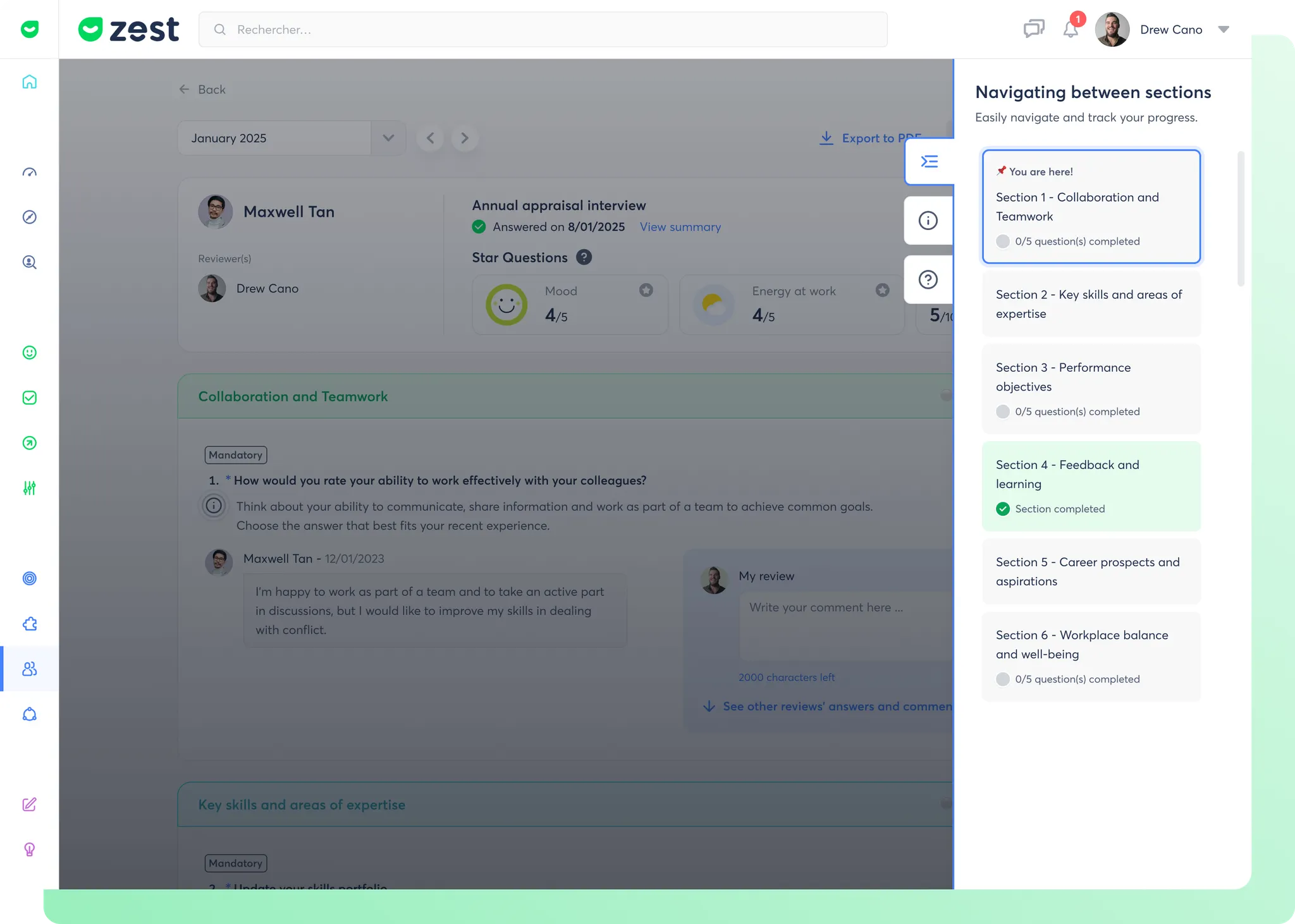
What is the navigation panel? 🤔
The Navigation Summary is a slide-out menu, a side panel that opens and closes without leaving the main screen. It provides quick access to the different sections of an interview while maintaining a clear overview of its progress.
Practically speaking, there's no more fumbling around: everything is organised and accessible at the click of a button for smoother, more intuitive browsing.
Why this change? 🎯
The objective is simple: improve the manager's experience by making navigation more intuitive and access to key information easier. Content :
👉 Find your way instantly : Move from one section to another without wasting time.
👉 Track your progress : See where you are and what you need to do.
👉 Reduce your cognitive load : Focus on the essentials with a more structured interface.
How does it work? 🧐
🟢 Intelligent Display : The panel only appears if the interview is structured in sections.
🎯 No activation required : If your interview is structured in sections, the summary will be displayed automatically.
This navigation summary makes every interview a cleaner, faster and more efficient experience