1️⃣ Survey Analysis Improvements: New Diagnostic Page
What is it exactly? 🤔
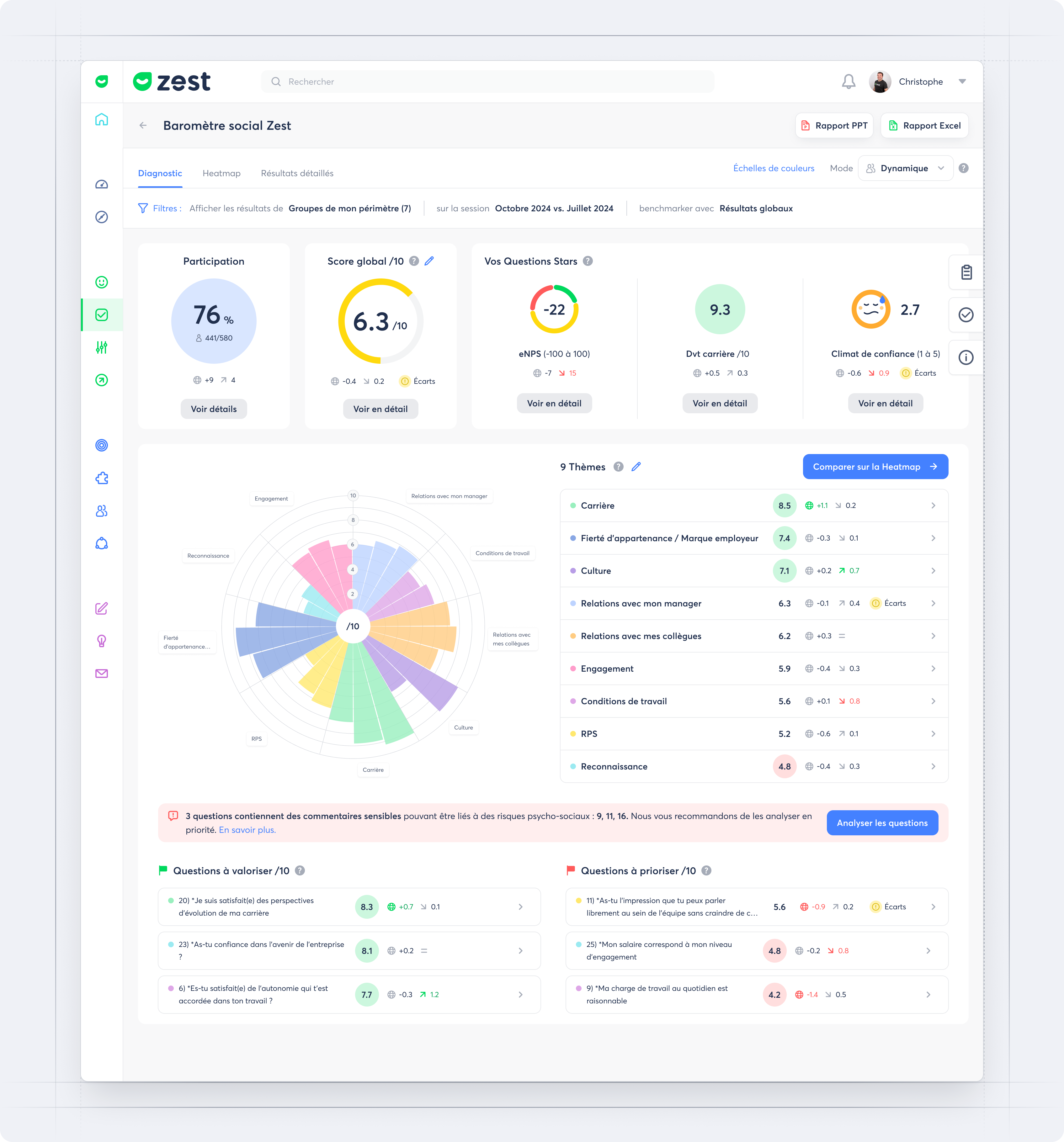
The new Diagnostic page provides a clear, actionable overview of your survey results at a glance.
It centralizes the main metrics (participation, overall score, eNPS…), highlights key questions, and offers a simplified thematic view to quickly understand strengths and areas for improvement.
What’s the goal? 🎯
- Instantly identify the key results of your surveys
- Highlight priority themes and questions to take action
- Simplify reading and analysis with a clear, visual interface
How does it work? 🧐
- Access the Diagnostic tab from your survey results
- Focus on the key metrics (participation, overall score, eNPS, etc.)
- View your results by theme and quickly spot areas to emphasize or prioritize
- Find your highlighted star questions to make comparisons over time easier
- Use filters and comparison options to refine your analysis
2️⃣ Open topics analysis by Zest AI
What is it exactly? 🤔
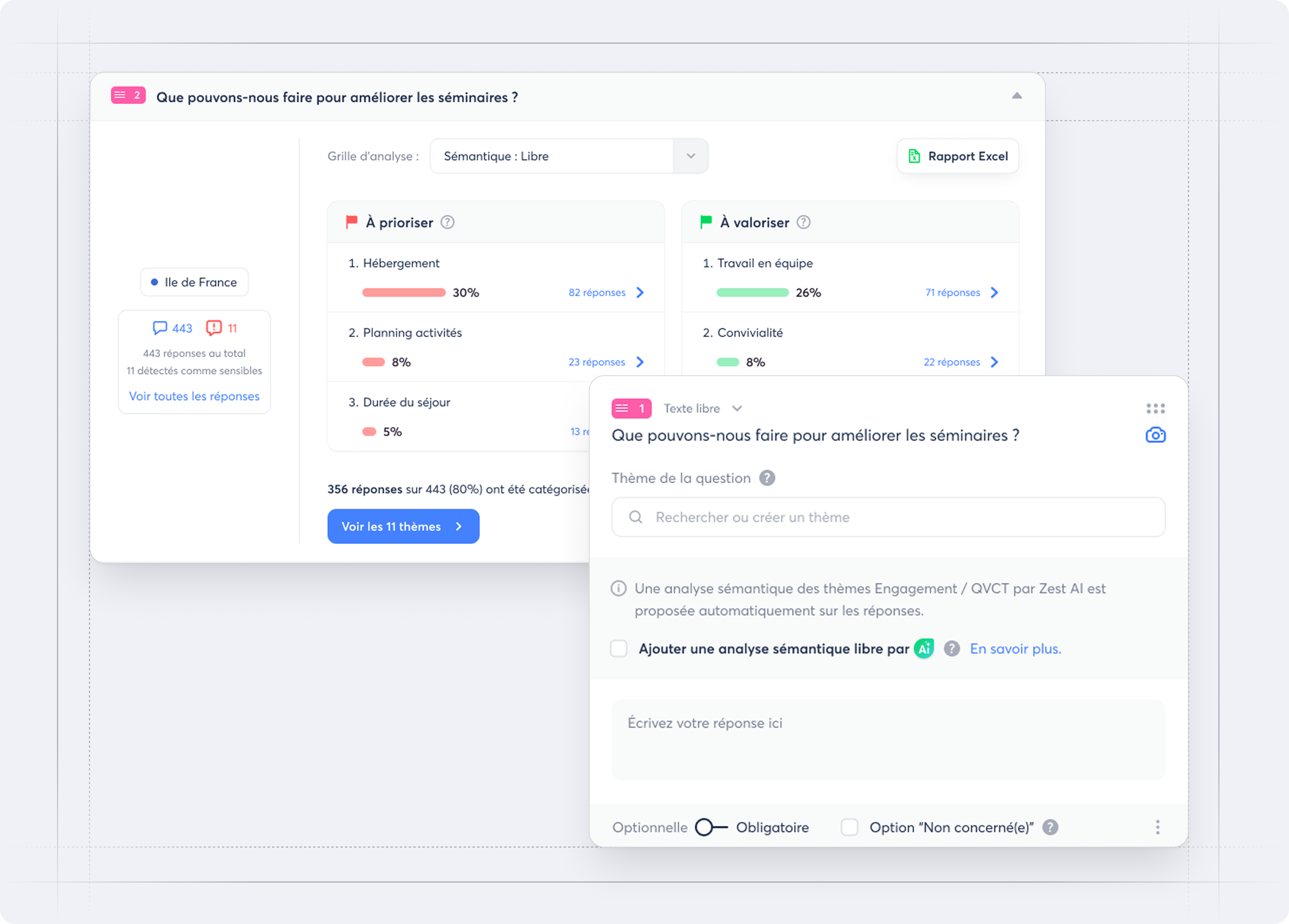
Zest AI has been enhanced with a new approach, open topics analysis, which automatically identifies the subjects expressed in text responses to Surveys and Engagement meters beyond the Engagement/QWL topics.
What’s the goal? 🎯
- To cover a wider range of survey uses (e.g. Training, Recruitment, Projects).
- To complement the Engagement/QWL analysis based on a fixed library of topics.
- To provide a more accurate interpretation of employee feedback.
How does it work? 🧐
- Activate open semantic analysis by Zest AI from the global settings in the Back Office.
- When building your survey, add this analysis to free text questions or closed questions with comments when appropriate.
- Zest AI analyses the responses and automatically generates the identified topics.
- In the results, you can first view the open topics to prioritise and promote, then drill deeper with the prioritisation matrix (as with the Engagement/QWL analysis).