1️⃣ Advanced Attribute Management
What is it exactly? 🤔
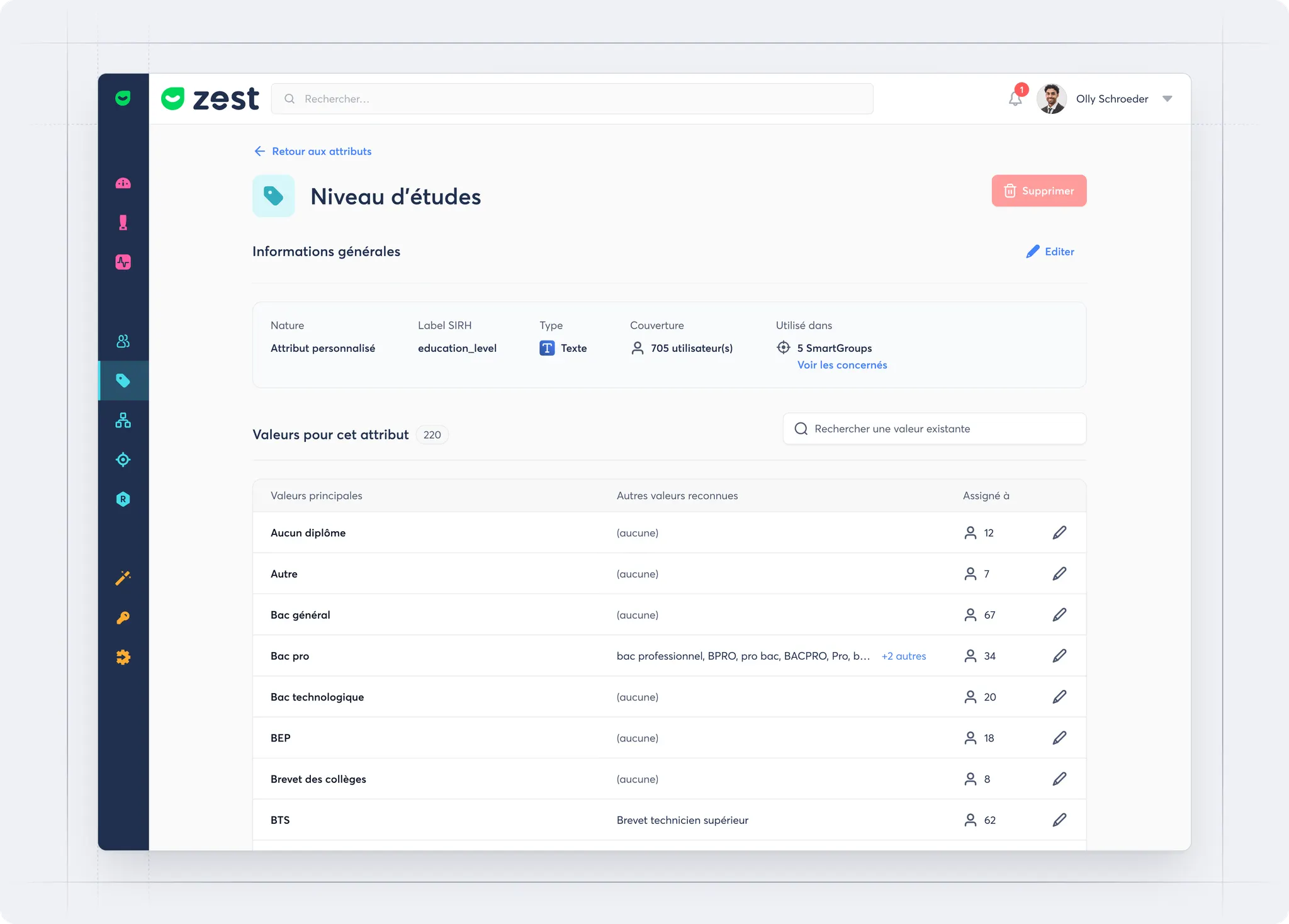
Two new features enhance the management of custom attributes in Zest:
- The ability to control the visibility of an attribute in the app
- The option to add alternative values for Text attributes
These improvements make it easier to adapt attributes to your business needs while ensuring data quality and consistency.
What’s the goal? 🎯
👉 Provide more flexibility for SuperAdmins when managing attributes
👉 Streamline the user experience by hiding attributes that shouldn’t appear everywhere
👉 Harmonize data by automatically grouping different variants coming from the HRIS or manual entries
How does it work? 🧐
🔎 Attribute visibility
- When creating an attribute, you can choose whether it should be visible or hidden in the app
- This setting can be changed at any time from the attribute detail page
- Hidden attributes remain available in certain features for SuperAdmins (SmartGroups, employee profile, import…), but no longer appear in filters, exports, or conditional questions
✍️ Alternative values (Text attributes)
- For each main value, you can add as many alternative values as needed
- This makes it possible to automatically group different equivalent formulations (
Male,M,H→Man)
- Result: cleaner, more consistent, and easier-to-use data
2️⃣ Advanced Entity Configuration Management
What is it exactly? 🤔
Entity configuration management allows you to customize the interface and login settings (logo, colors, conversational survey theme, SSO) for specific groups, simplifying large-scale deployment and providing an experience tailored to each entity.
What is the goal? 🎯
- Deploy configurations specific to each group
- Ensure a consistent and personalized user experience
- Simplify centralized management of interface and login settings
How does it work? 🧐
- Add or edit a configuration from Global Settings (Back Office)
- Select the target group and fill in the required fields
- Activate additional options if needed (logo, SSO, colors, theme)
- Configurations are applied from top to bottom; the first matching one is used
- The “Default” configuration applies to all other users