1️⃣ Intelligent Sensitive Comment Detection & Contextual Sentiment Analysis
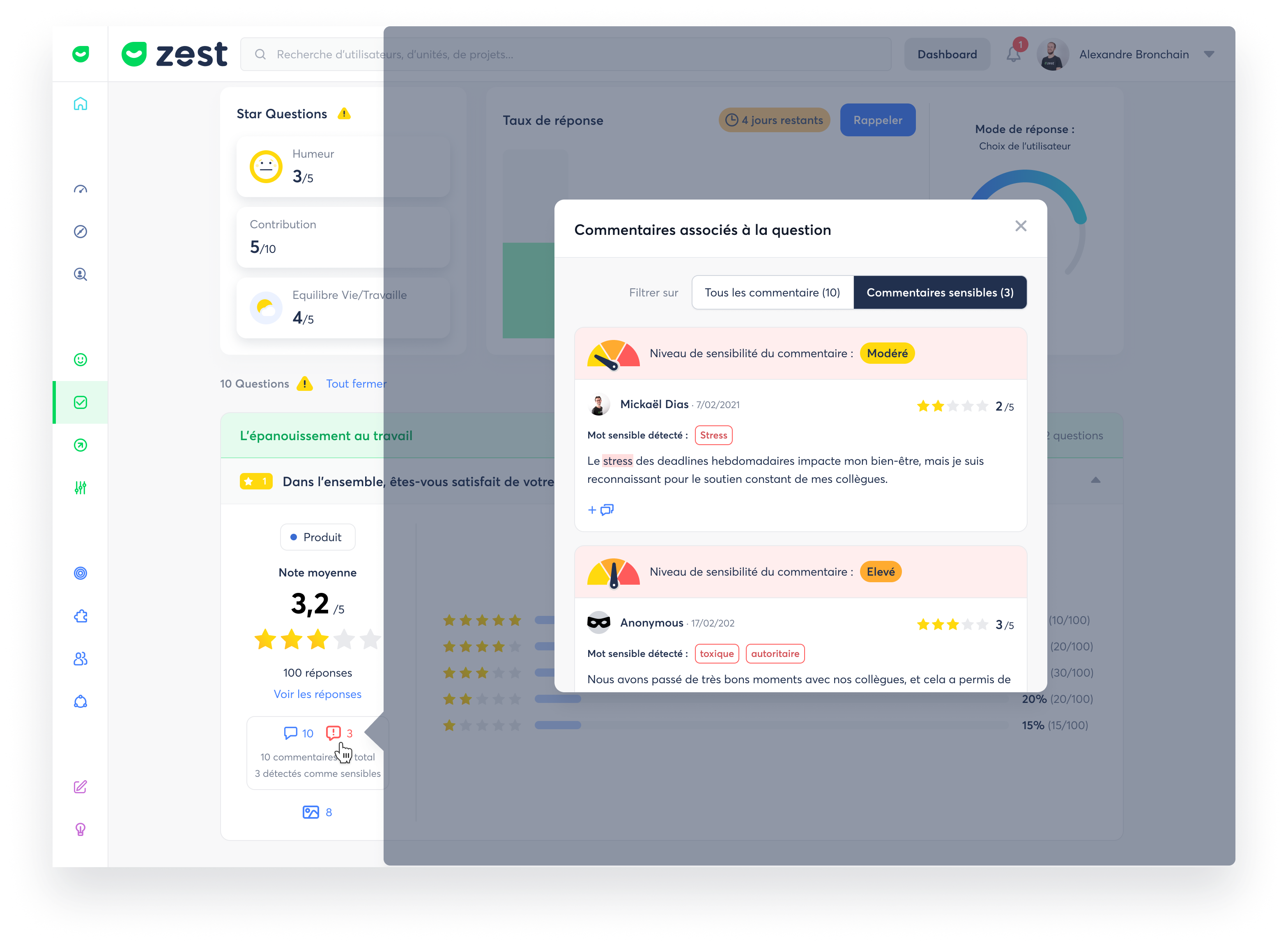
What is it exactly? 🤔
We’ve completely revamped our sensitive comment detection and overall sentiment analysis system to make it far more accurate and relevant.
The new version now analyzes the full context:
- the question asked,
- the entire comment,
- and the nuances expressed by the respondent.
The result: a much more faithful interpretation of what participants actually meant.
What’s the goal? 🎯
- More accurately identify comments that require attention
- Understand the true tone of a response (positive, neutral, negative) thanks to full context
- Reduce false positives and false negatives from superficial analysis
- Provide a more reliable view of emotions and subtle signals in the verbatims
How does it work? 🧐
- Each comment is analyzed in its question + answer context
- The system automatically detects sensitive comments (concerns, tensions, risks, delicate topics…)
- Overall sentiment is calculated more precisely, taking into account phrasing, nuances, and intentions
- Comments that need attention are highlighted in your results for easier follow-up
- Analyses are more coherent and truly reflect what your respondents are thinking
- Sensitive comment detection is available in both the Succeed and Listen pillars
- Overall sentiment analysis is available exclusively in the Listen pillar
2️⃣ An even easier Diagnostic page to explore
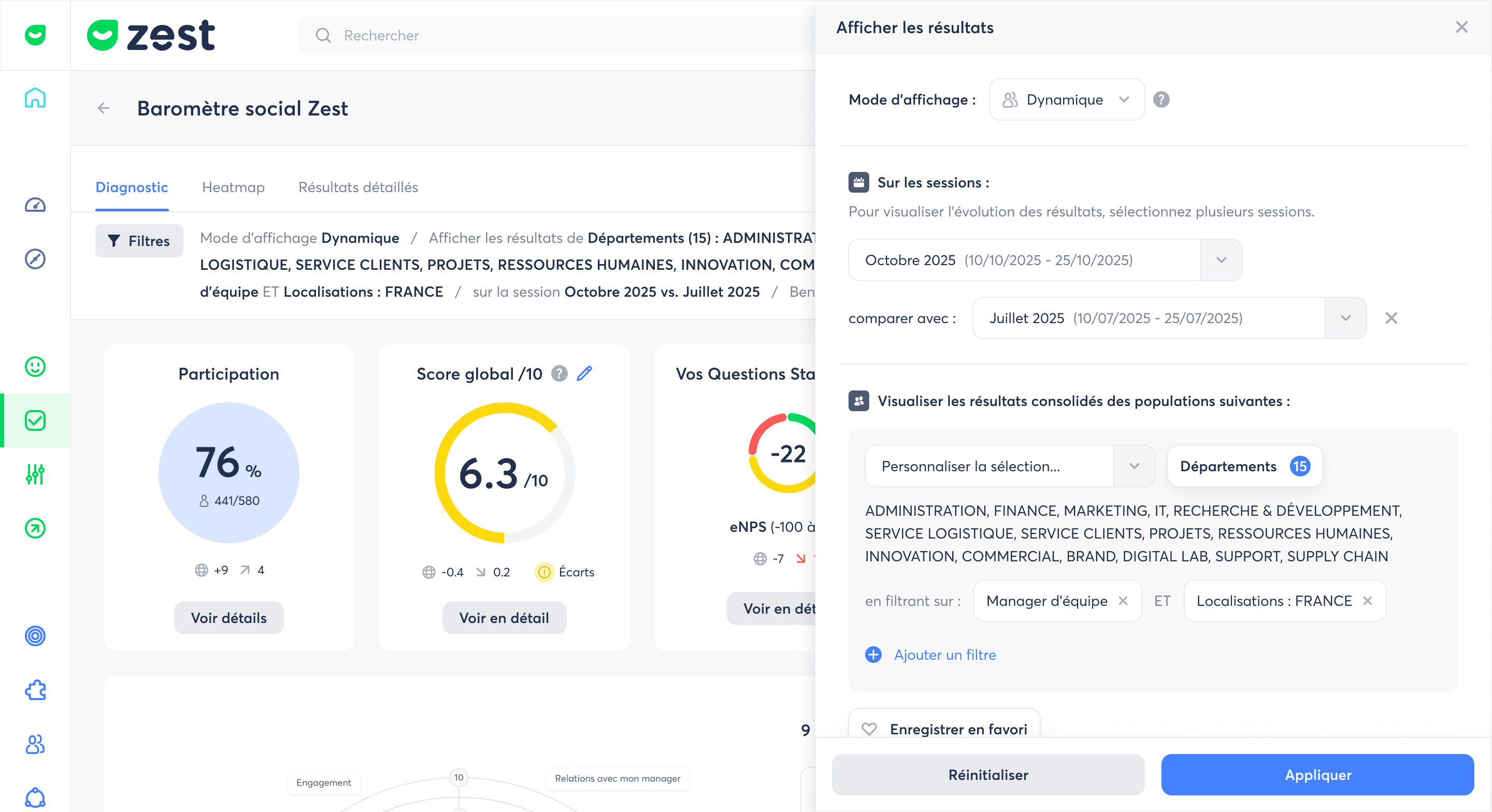
What exactly is it and what’s the goal? 🤔
We’ve made several improvements to the Diagnostic page and its filtering system to make the experience smoother and more accessible for all user profiles. These updates are designed to improve result readability, simplify navigation, and make filters easier to use.
What’s been improved? 🧐
Here are a few examples of the enhancements:
- Improved filter display in the banner, making active filters easier to identify
- Easier access to the filter panel, allowing faster opening and adjustments
- Default display of evolution and benchmark differences when available, for immediate insights
These are just a few examples among many others. All of these changes aim to help users focus more on interpreting results, without friction caused by navigation or settings.
- These improvements are available on the Diagnostic page
- They are enabled automatically, with no action required on your part
- Filter logic and indicators remain unchanged — only the experience has been optimized