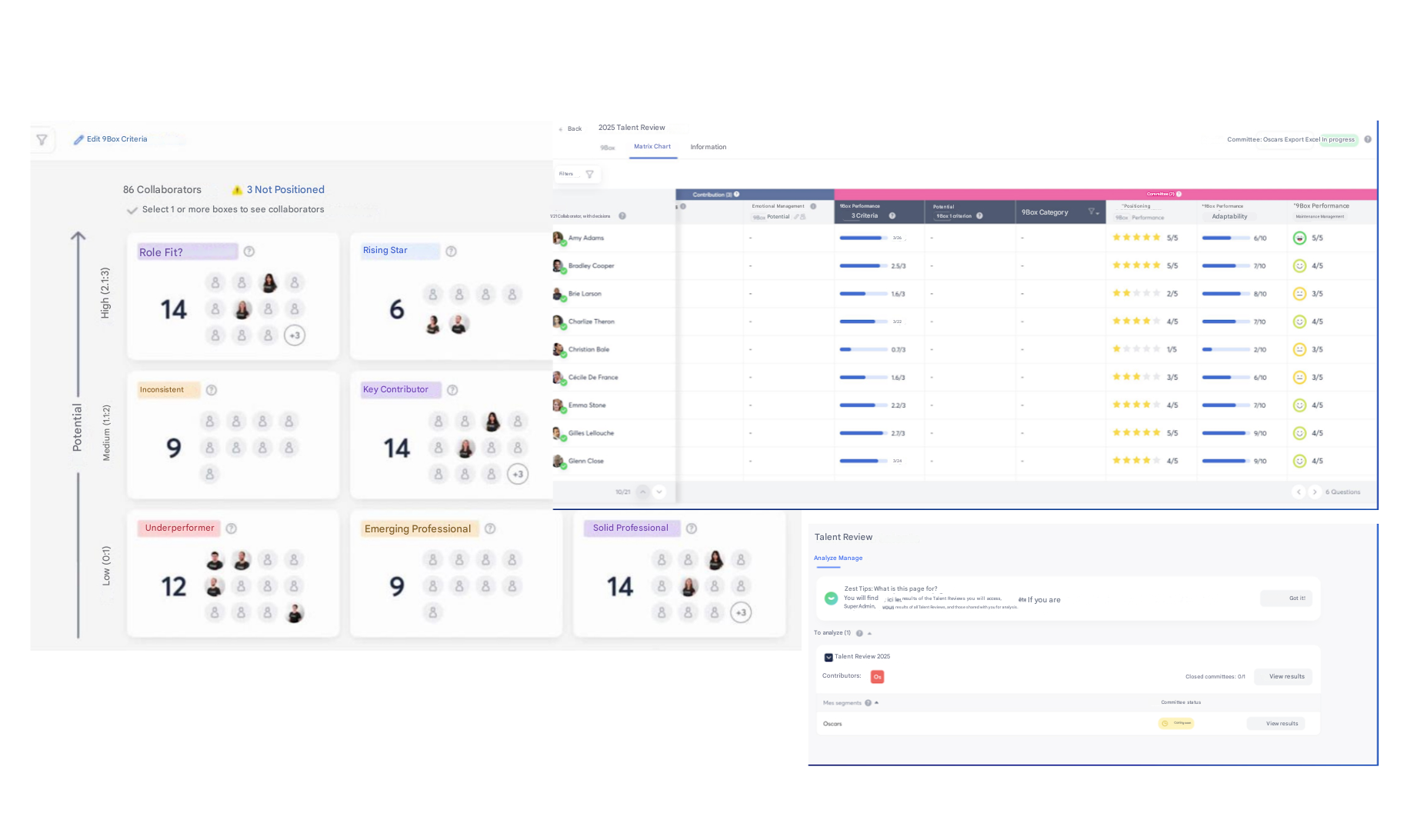
1- Conceptualize the People Review
Prerequisites
Before launching a People Review campaign, it is essential to define the following structuring elements:
- Objectives: What is the main objective of your People Review? Talent assessment, succession planning, compensation review, training?
- Target population: Who will be included in this talent review? The entire company or a targeted scope (department, location, SmartGroup, team)?
- Evaluation criteria: What criteria will be used to evaluate Employees? Performance, potential, flight risk? What information from Reviews will be used to support decision-making?
- Participants: Who will be the members of the review committee? Who will chair it?
- Format and structure: which elements will make up performance and potential in order to build the 9Box matrix?
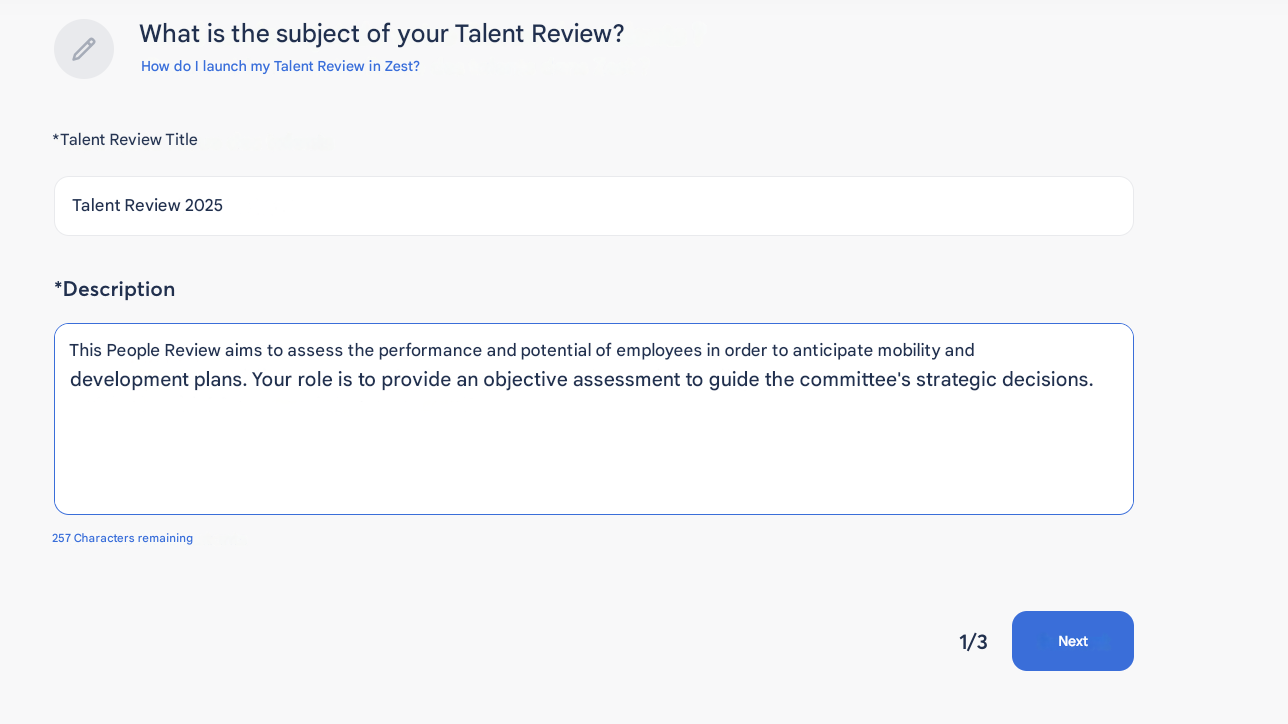
2- Set up the People Review in Zest
I) Prepare the talent review campaign
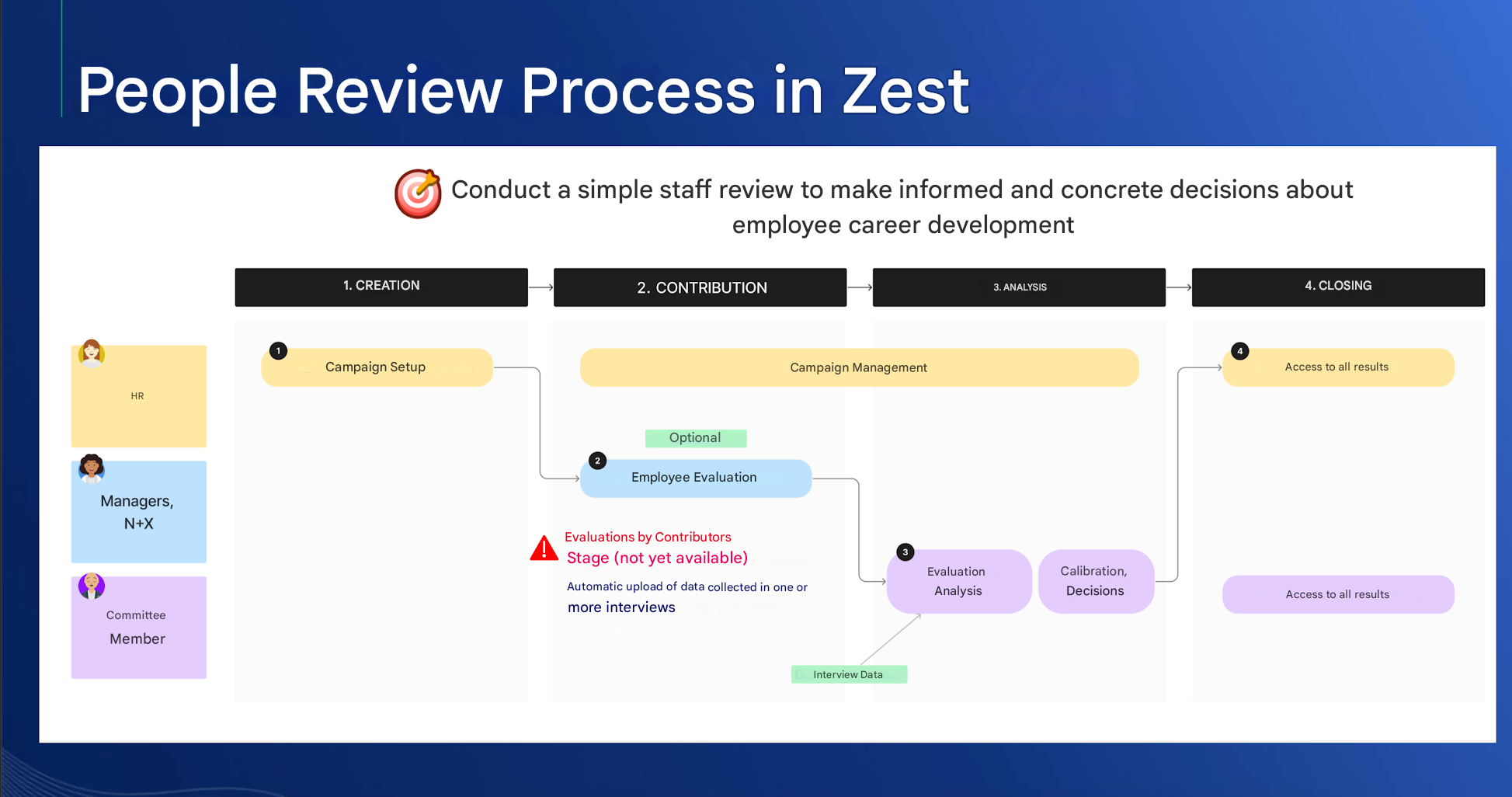
Step 1: Create the campaign
- Access the Talent Review module from the home page at the top left.
- Define the general settings: title, description, launch date.
- Select the target population based on the previously defined criteria (department, location, team, specific user).
- Select the levels of your organization to automatically create the committees for each group, or create the committees manually.
Step 2: Define the evaluation criteria
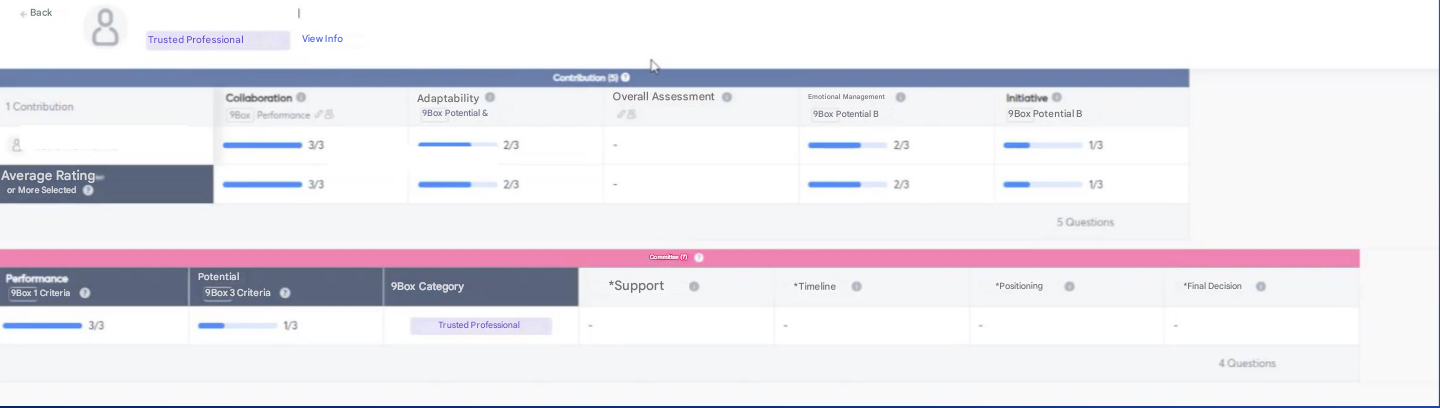
- Create the review grid by choosing the evaluation criteria that will make up:
- Performance
- Potential
- Import data from previous Reviews.
- Add additional questions for the committee (e.g. flight risk, compensation review, development plan, action plan)
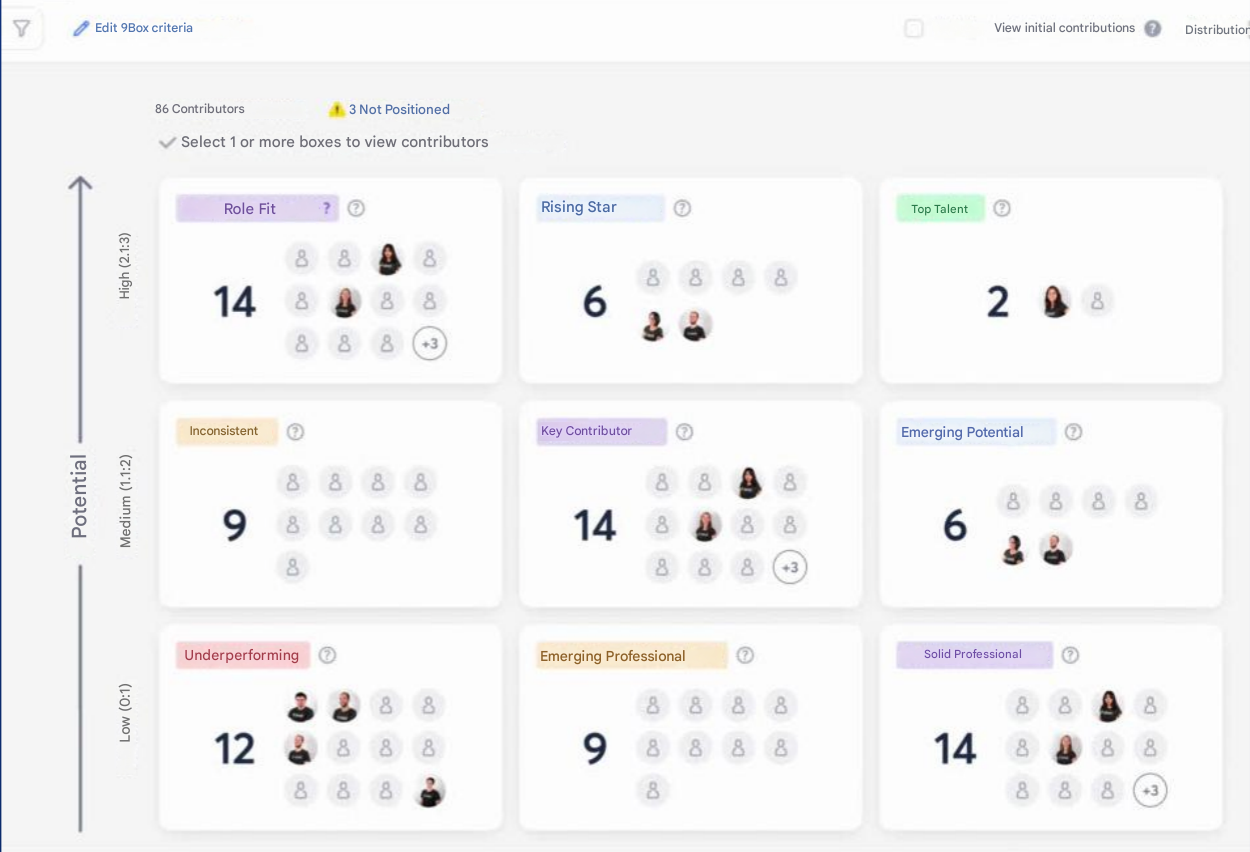
Step 3: Configure the 9Box matrix
- Select the elements that will define performance and potential.
- Configure the results view and axis customization.
- Define the sender name for emails and send the campaign (immediate action).
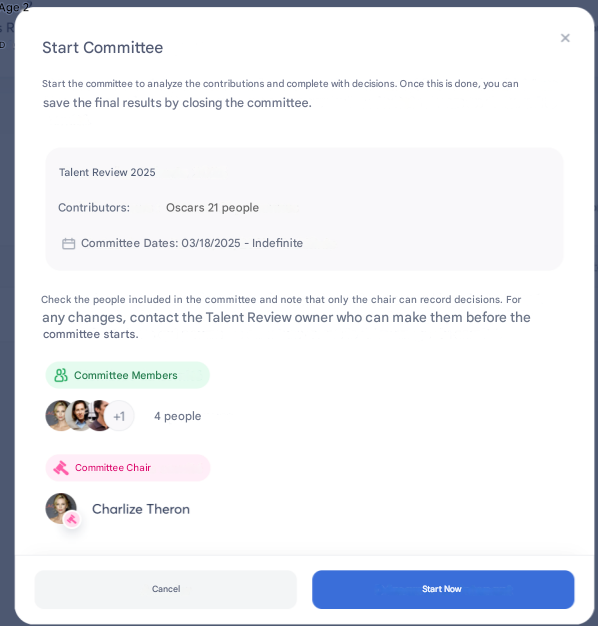
3- Lead the Talent Review Committee
Review and data entry
Step 1: Access consolidated data
- The committee has real-time access to Employee data.
- Employees are displayed on the 9Box matrix once all questions have been completed.
- Results can be filtered by team, department, or location.
Step 2: Enter decisions
- The committee chair records the decisions made for each Employee:
- Promotion
- Mobility
- Development plan
- Retention plan
- Final validation by the committee chair.
The role of the committee chair
The committee chair plays an essential role in organizing and validating the process. Their main responsibilities include:
- Defining the objectives and methodology of the People Review.
- Selecting committee members and assigning responsibilities.
- Leading discussions and arbitrating in case of disagreements.
- Validating the decisions made, ensuring alignment with the company’s strategy.
- Monitoring the implementation of the agreed actions.
4- Analyze and Leverage the Results
Step 1: Analyze the results
- Summary of overall and individual trends.
- Analysis of at-risk populations.
- Identification of high-potential talent.
Step 2: Take action
- Action plan for talent development.
- Follow-up on decisions made and their impact on the organization.
5- Benefits of a Digitalized People Review with Zest
✅ Time savings: -75% management time.
✅ Customization: Integration of Review data and customization of the 9Box.
✅ Optimized decision-making: A consolidated, real-time view of talent.
✅ Process modernization: Digitalized campaign management at company scale.
With this approach, the People Review becomes a powerful strategic lever to drive performance and talent retention within your company.