⚙️ Set up mood automation
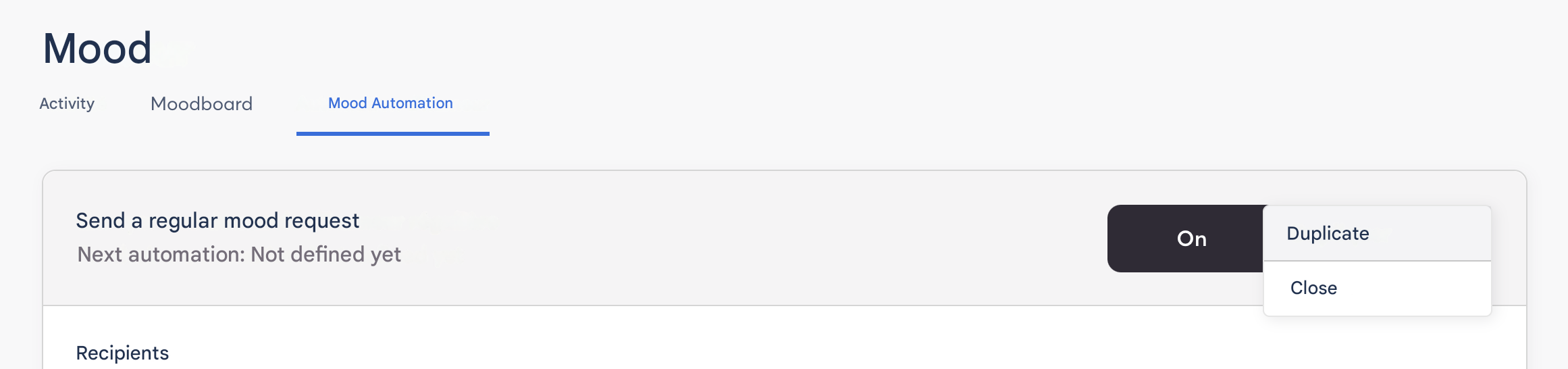
1. Enable automation
Click “ON” to enable mood automation.

2. Configure key elements
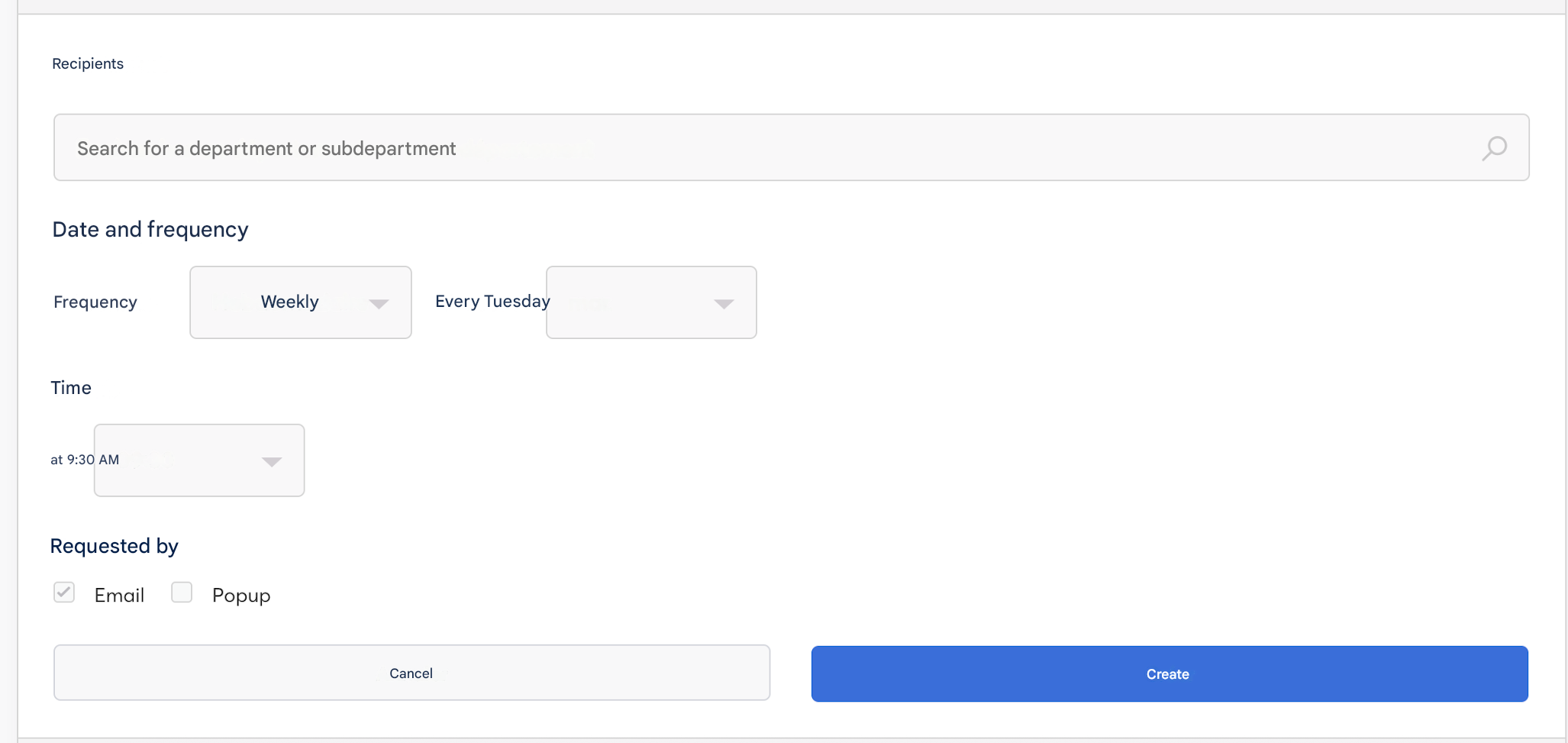
Then follow the steps to define your recurrence.
- Recipients: based on your SmartOrg
- Frequency date: choose the frequency and day for precise delivery
- Time: select a sending time
- Requested by: the notification will be sent by email and/or pop-up in the application
3. Duplicate automation (optional)
You can duplicate your automation to create other scenarios or target specific populations.